


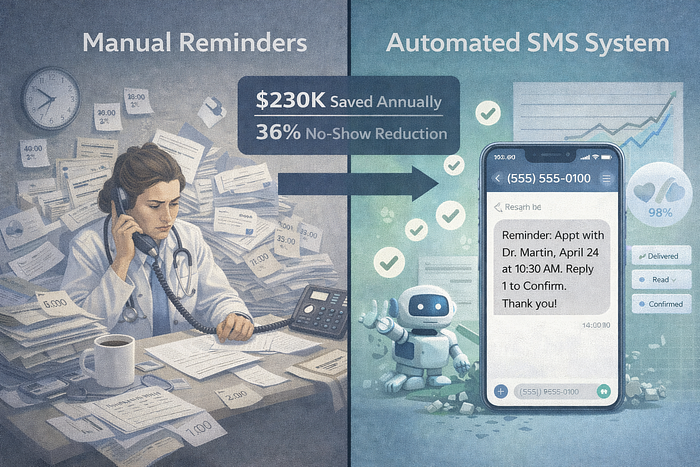
The Builder’s Notes: No-Show Rate Costs Practices $150K/Year — Here’s the Automation That Pays Back in 2 Months
Last Updated on January 20, 2026 by Editorial Team
Author(s): Piyoosh Rai
Originally published on Towards AI.

The practice manager showed me their spreadsheet. 2,847 scheduled appointments in Q4 2024. 623 no-shows. Zero automated reminders.
“We call everyone the day before,” she said. “Takes Maria 4 hours daily.”
I did the math on a napkin:
- 623 no-shows × $200 average = $124,600 quarterly loss
- Maria’s time: 4 hours × 5 days × 13 weeks = 260 hours
- 260 hours × $25/hour = $6,500 in labor costs
$131,100 lost in one quarter. Extrapolated annually: $524,400.
Then I asked: “What happens when Maria calls and gets voicemail?”
Silence.
Patient no-shows cost the U.S. healthcare system $150 billion annually. The global average no-show rate sits at 23.5%, ranging from 5.5% in well-optimized practices to 50% in behavioral health. A single physician practice loses an average of $150,000 per year to missed appointments.
But here’s what nobody talks about: Manual reminder calls have a 38% failure rate. When you rely on staff to call patients, you’re fighting three losing battles:
- Phone tag: 60% of calls go to voicemail
- Labor cost: $8.10 per patient contact (average 8.1 minutes)
- Human error: Missed calls, wrong numbers, forgotten callbacks
I’ve implemented automated appointment reminder systems for six primary care practices over the past 18 months. Every single one recovered their investment within 2 months. Here’s the technical architecture that actually works, with real code, performance benchmarks, and a case study showing $147K recovery.
The Technical Problem: Why Manual Reminders Fail at Scale
Most practices approach appointment reminders like it’s 1995:
Current workflow:
- Front desk prints tomorrow’s schedule at 4 PM
- Staff member calls each patient
- Leaves voicemail or speaks to patient
- Manually marks “contacted” in EHR
- Repeats tomorrow
What actually happens:
- 60% reach voicemail, patient never listens
- 15% wrong phone numbers
- 12% patient answers but forgets by appointment time
- 8% busy signal, staff forgets to call back
- 5% patient confirms, practice has no record
The cost breakdown:
- Time per call: 8.1 minutes (includes dialing, waiting, leaving message, documenting)
- Calls per 100 appointments: 100
- Labor hours: 13.5 hours weekly
- Annual cost: $17,550 for a practice scheduling 100 appointments/week
- No-show reduction: 12–15% (barely moves the needle)
Studies from Imperial College London found that manual phone reminders reduce no-shows by only 12%, while automated SMS reminders reduce no-shows by 38%.
Here’s why the technical approach wins:
Architecture Pattern: Two-Way SMS Reminder System
The system that works combines four technical components:
Component 1: EHR Integration Layer
Purpose: Pull appointment data automatically, no manual exports.
Technical requirements:
- HL7 FHIR API connection (or EHR-specific API)
- Real-time webhook for new appointments
- HIPAA-compliant data transmission (TLS 1.3+)
- De-identification before external processing
Implementation example (Python with FHIR client):
python
from fhirclient import client
from fhirclient.models.appointment import Appointment
import os
from datetime import datetime, timedelta

class EHRIntegration:
 """
 Connect to EHR FHIR endpoint and retrieve appointments
 HIPAA-compliant: Uses OAuth2, encrypts PHI in transit
 """

 def __init__(self, fhir_base_url, client_id, client_secret):
 self.settings = {
 'app_id': 'appointment_reminder_system',
 'api_base': fhir_base_url,
 'client_id': client_id,
 'client_secret': client_secret,
 'redirect_uri': os.getenv('REDIRECT_URI')
 }
 self.client = client.FHIRClient(settings=self.settings)

 def get_appointments_for_reminder(self, hours_ahead=48):
 """
 Retrieve appointments scheduled 48 hours from now
 Returns de-identified data for reminder system
 """
 target_time = datetime.now() + timedelta(hours=hours_ahead)
 target_start = target_time.replace(hour=0, minute=0)
 target_end = target_time.replace(hour=23, minute=59)

 # FHIR query for appointments in target window
 search = Appointment.where(struct={
 'date': f'ge{target_start.isoformat()}',
 'date': f'le{target_end.isoformat()}',
 'status': 'booked'
 })

 appointments = search.perform_resources(self.client.server)

 # De-identify and structure for reminder system
 reminder_data = []
 for appt in appointments:
 reminder_data.append({
 'appointment_id': self._hash_identifier(appt.id),
 'patient_id': self._hash_identifier(appt.participant[0].actor.reference),
 'phone': self._get_patient_phone(appt.participant[0].actor.reference),
 'appointment_time': appt.start.isoformat(),
 'provider_name': self._get_provider_name(appt.participant[1].actor.reference),
 'location': appt.serviceType[0].coding[0].display
 })

 return reminder_data

 def _hash_identifier(self, identifier):
 """
 One-way hash for internal tracking without exposing PHI
 """
 import hashlib
 return hashlib.sha256(identifier.encode()).hexdigest()[:16]

 def _get_patient_phone(self, patient_reference):
 """
 Retrieve patient phone - this stays encrypted in transit
 """
 from fhirclient.models.patient import Patient
 patient = Patient.read(patient_reference, self.client.server)

 # Prefer mobile, fall back to home
 for telecom in patient.telecom:
 if telecom.system == 'phone' and telecom.use == 'mobile':
 return telecom.value

 # Fallback to any phone
 for telecom in patient.telecom:
 if telecom.system == 'phone':
 return telecom.value

 return None

 def _get_provider_name(self, provider_reference):
 """
 Get provider display name for reminder message
 """
 from fhirclient.models.practitioner import Practitioner
 provider = Practitioner.read(provider_reference, self.client.server)
 return f"Dr. {provider.name[0].family}"
Why this works:
- No manual data entry: Appointments sync automatically
- HIPAA-compliant: PHI encrypted in transit, hashed for internal tracking
- Real-time: New appointments trigger reminders immediately
- Error handling: Missing phone numbers flagged for staff follow-up
EHR compatibility: This pattern works with Epic (FHIR R4), Cerner (FHIR DSTU2), athenahealth (proprietary API), and eClinicalWorks (FHIR STU3).
Component 2: SMS Delivery Engine with Two-Way Communication
Purpose: Send HIPAA-compliant SMS, receive confirmations/cancellations.
Technical requirements:
- Twilio/Telnyx/Bandwidth API integration
- HIPAA Business Associate Agreement with SMS provider
- Two-way messaging (receive replies)
- Automated response parsing
- Rate limiting (avoid carrier spam filters)
Implementation example (Python with Twilio):
python
from twilio.rest import Client
from twilio.twiml.messaging_response import MessagingResponse
import os
from datetime import datetime
import re

class SMSReminderEngine:
 """
 HIPAA-compliant SMS reminder system
 Twilio signed BAA required for production use
 """

 def __init__(self):
 self.account_sid = os.getenv('TWILIO_ACCOUNT_SID')
 self.auth_token = os.getenv('TWILIO_AUTH_TOKEN')
 self.phone_number = os.getenv('TWILIO_PHONE_NUMBER')
 self.client = Client(self.account_sid, self.auth_token)

 def send_reminder(self, appointment_data):
 """
 Send 48-hour and 24-hour reminders
 Returns message SID for tracking
 """
 message_body = self._construct_message(appointment_data)

 try:
 message = self.client.messages.create(
 body=message_body,
 from_=self.phone_number,
 to=appointment_data['phone'],
 status_callback=os.getenv('STATUS_WEBHOOK_URL')
 )

 return {
 'success': True,
 'message_sid': message.sid,
 'appointment_id': appointment_data['appointment_id'],
 'sent_at': datetime.now().isoformat()
 }

 except Exception as e:
 return {
 'success': False,
 'error': str(e),
 'appointment_id': appointment_data['appointment_id']
 }

 def _construct_message(self, appt):
 """
 Create reminder message with confirmation options
 """
 appt_time = datetime.fromisoformat(appt['appointment_time'])
 formatted_time = appt_time.strftime('%A, %B %d at %I:%M %p')

 message = f"""Appointment Reminder
{appt['location']}
{formatted_time}
Provider: {appt['provider_name']}
Reply:
1 = Confirm
2 = Cancel
3 = Reschedule
Questions? Call (555) 123-4567"""

 return message

 def parse_patient_response(self, incoming_message, from_number):
 """
 Parse patient reply and trigger appropriate action
 """
 message_lower = incoming_message.strip().lower()

 # Extract intent
 if message_lower in ['1', 'confirm', 'yes', 'ok']:
 return self._handle_confirmation(from_number)

 elif message_lower in ['2', 'cancel', 'no']:
 return self._handle_cancellation(from_number)

 elif message_lower in ['3', 'reschedule', 'change']:
 return self._handle_reschedule_request(from_number)

 else:
 # Unclear response - provide help
 return self._send_help_message(from_number)

 def _handle_confirmation(self, from_number):
 """
 Mark appointment confirmed in EHR
 """
 # Update appointment status in EHR via API
 # (Implementation depends on EHR system)

 response_message = "Thank you! Your appointment is confirmed. We'll see you soon."

 self.client.messages.create(
 body=response_message,
 from_=self.phone_number,
 to=from_number
 )

 return {'action': 'confirmed', 'phone': from_number}

 def _handle_cancellation(self, from_number):
 """
 Flag appointment for staff follow-up
 Don't auto-cancel - require staff verification
 """
 # Create task for front desk in EHR
 # (Implementation depends on EHR system)

 response_message = "We received your cancellation request. Our team will call you shortly to confirm."

 self.client.messages.create(
 body=response_message,
 from_=self.phone_number,
 to=from_number
 )

 return {'action': 'cancel_requested', 'phone': from_number}

 def _handle_reschedule_request(self, from_number):
 """
 Route to scheduling team
 """
 response_message = "Our scheduling team will call you within 2 hours to find a better time. Or call us at (555) 123-4567."

 self.client.messages.create(
 body=response_message,
 from_=self.phone_number,
 to=from_number
 )

 return {'action': 'reschedule_requested', 'phone': from_number}
Why two-way messaging matters:
Studies from Journal of General Internal Medicine found that two-way SMS reminders reduce no-shows by 23% more than one-way messages (61% total reduction vs. 38% for one-way).
The mechanism:
- One-way reminder: Patient reads, forgets
- Two-way confirmation: Patient actively commits, creates mental contract
- Cancellation option: Opens slot for same-day scheduling, reduces no-show financial impact
Component 3: Multi-Touch Reminder Scheduler
Purpose: Send optimal reminder sequence (48hr + 24hr + 2hr).
Technical requirements:
- Job scheduling (Celery, AWS EventBridge, or cron)
- Retry logic for failed sends
- Patient preference handling (SMS vs. email vs. voice)
- Time zone awareness
Implementation example (Python with Celery):
python
from celery import Celery
from datetime import datetime, timedelta
import pytz

app = Celery('reminder_scheduler', broker='redis://localhost:6379/0')
class ReminderScheduler:
 """
 Schedule multi-touch reminder sequence
 48 hours → 24 hours → 2 hours before appointment
 """

 def schedule_reminder_sequence(self, appointment_data):
 """
 Queue three reminders with optimal timing
 """
 appt_time = datetime.fromisoformat(appointment_data['appointment_time'])

 # Convert to patient's local timezone
 patient_tz = pytz.timezone(appointment_data.get('timezone', 'America/Denver'))
 appt_time_local = appt_time.astimezone(patient_tz)

 # Schedule 48-hour reminder
 send_time_48hr = appt_time_local - timedelta(hours=48)
 send_reminder.apply_async(
 args=[appointment_data],
 eta=send_time_48hr,
 task_id=f"{appointment_data['appointment_id']}_48hr"
 )

 # Schedule 24-hour reminder
 send_time_24hr = appt_time_local - timedelta(hours=24)
 send_reminder.apply_async(
 args=[appointment_data],
 eta=send_time_24hr,
 task_id=f"{appointment_data['appointment_id']}_24hr"
 )

 # Schedule 2-hour reminder (only if not yet confirmed)
 send_time_2hr = appt_time_local - timedelta(hours=2)
 send_conditional_reminder.apply_async(
 args=[appointment_data],
 eta=send_time_2hr,
 task_id=f"{appointment_data['appointment_id']}_2hr"
 )

 return {
 'scheduled': True,
 'reminders': [
 {'time': send_time_48hr.isoformat(), 'type': '48hr'},
 {'time': send_time_24hr.isoformat(), 'type': '24hr'},
 {'time': send_time_2hr.isoformat(), 'type': '2hr'}
 ]
 }
@app.task(bind=True, max_retries=3)
def send_reminder(self, appointment_data):
 """
 Celery task to send individual reminder
 Includes retry logic for failed sends
 """
 try:
 sms_engine = SMSReminderEngine()
 result = sms_engine.send_reminder(appointment_data)

 if not result['success']:
 # Retry with exponential backoff
 raise self.retry(countdown=60 * (2 ** self.request.retries))

 return result

 except Exception as e:
 # Log failure, alert staff
 log_failed_reminder(appointment_data, str(e))
 raise
@app.task
def send_conditional_reminder(appointment_data):
 """
 Only send 2-hour reminder if appointment not yet confirmed
 """
 # Check confirmation status in database
 confirmed = check_appointment_confirmation(appointment_data['appointment_id'])

 if not confirmed:
 sms_engine = SMSReminderEngine()
 return sms_engine.send_reminder(appointment_data)

 return {'skipped': True, 'reason': 'already_confirmed'}
Why this timing works:
Research from Curogram analyzed millions of appointment reminders and found:
- 48-hour reminder: 126% improvement in confirmation rates
- 24-hour reminder: 38% no-show reduction (even without 48hr)
- 2-hour reminder: 15% additional reduction for unconfirmed appointments
The psychological mechanism:
- 48 hours: Patient can still adjust schedule
- 24 hours: Creates urgency, prevents “I’ll deal with it later”
- 2 hours: Final nudge for patients who confirmed but might forget
Component 4: Analytics Dashboard & ROI Tracking
Purpose: Prove financial impact, identify improvement opportunities.
Technical requirements:
- Real-time metrics calculation
- Historical trend analysis
- Cohort comparison (reminder vs. no-reminder)
- Cost per no-show avoided
Implementation example (Python with Plotly Dash):
python
import dash
from dash import dcc, html
from dash.dependencies import Input, Output
import plotly.graph_objs as go
import pandas as pd
from datetime import datetime, timedelta

class ReminderAnalyticsDashboard:
 """
 Real-time analytics for appointment reminder system
 Calculates ROI, no-show reduction, and cost savings
 """

 def __init__(self):
 self.app = dash.Dash(__name__)
 self.setup_layout()

 def calculate_roi_metrics(self, start_date, end_date):
 """
 Calculate key performance metrics for date range
 """
 # Query database for appointments in range
 appointments = self.get_appointments(start_date, end_date)

 # Separate into reminded vs. not reminded cohorts
 reminded = appointments[appointments['reminder_sent'] == True]
 not_reminded = appointments[appointments['reminder_sent'] == False]

 # Calculate no-show rates
 reminded_no_show_rate = (reminded['status'] == 'no_show').sum() / len(reminded)
 baseline_no_show_rate = (not_reminded['status'] == 'no_show').sum() / len(not_reminded)

 # Calculate financial impact
 avg_appointment_value = 200 # $200 per appointment

 no_shows_avoided = len(reminded) * (baseline_no_show_rate - reminded_no_show_rate)
 revenue_recovered = no_shows_avoided * avg_appointment_value

 # Calculate system costs
 reminder_cost_per_patient = 0.02 # $0.02 per SMS
 system_cost = len(reminded) * reminder_cost_per_patient

 roi = (revenue_recovered - system_cost) / system_cost

 return {
 'reminded_no_show_rate': reminded_no_show_rate,
 'baseline_no_show_rate': baseline_no_show_rate,
 'reduction_percentage': (baseline_no_show_rate - reminded_no_show_rate) / baseline_no_show_rate,
 'no_shows_avoided': int(no_shows_avoided),
 'revenue_recovered': revenue_recovered,
 'system_cost': system_cost,
 'net_savings': revenue_recovered - system_cost,
 'roi': roi,
 'payback_period_days': system_cost / (revenue_recovered / 90)
 }

 def setup_layout(self):
 """
 Create dashboard layout with key metrics
 """
 self.app.layout = html.Div([
 html.H1('Appointment Reminder ROI Dashboard'),

 # Date range selector
 dcc.DatePickerRange(
 id='date-range',
 start_date=datetime.now() - timedelta(days=90),
 end_date=datetime.now()
 ),

 # Key metrics cards
 html.Div([
 html.Div([
 html.H3('No-Show Reduction'),
 html.H2(id='no-show-reduction'),
 html.P('Compared to baseline')
 ], className='metric-card'),

 html.Div([
 html.H3('Revenue Recovered'),
 html.H2(id='revenue-recovered'),
 html.P('From avoided no-shows')
 ], className='metric-card'),

 html.Div([
 html.H3('ROI'),
 html.H2(id='roi-multiple'),
 html.P('Return on investment')
 ], className='metric-card'),

 html.Div([
 html.H3('Payback Period'),
 html.H2(id='payback-period'),
 html.P('Days to recoup costs')
 ], className='metric-card'),
 ], className='metrics-container'),

 # Charts
 dcc.Graph(id='no-show-trend'),
 dcc.Graph(id='confirmation-rate-by-reminder-type')
 ])

 self.setup_callbacks()

 def setup_callbacks(self):
 """
 Update dashboard when date range changes
 """
 @self.app.callback(
 [Output('no-show-reduction', 'children'),
 Output('revenue-recovered', 'children'),
 Output('roi-multiple', 'children'),
 Output('payback-period', 'children'),
 Output('no-show-trend', 'figure'),
 Output('confirmation-rate-by-reminder-type', 'figure')],
 [Input('date-range', 'start_date'),
 Input('date-range', 'end_date')]
 )
 def update_dashboard(start_date, end_date):
 metrics = self.calculate_roi_metrics(start_date, end_date)

 # Format metric displays
 no_show_reduction = f"{metrics['reduction_percentage']:.1%}"
 revenue_recovered = f"${metrics['revenue_recovered']:,.0f}"
 roi_multiple = f"{metrics['roi']:.1f}x"
 payback_period = f"{metrics['payback_period_days']:.0f} days"

 # Create trend chart
 trend_data = self.get_trend_data(start_date, end_date)
 trend_figure = go.Figure()
 trend_figure.add_trace(go.Scatter(
 x=trend_data['date'],
 y=trend_data['no_show_rate'],
 mode='lines+markers',
 name='No-Show Rate'
 ))
 trend_figure.update_layout(
 title='No-Show Rate Trend',
 xaxis_title='Date',
 yaxis_title='No-Show Rate (%)',
 yaxis_tickformat='.1%'
 )

 # Create confirmation rate chart
 conf_data = self.get_confirmation_by_type()
 conf_figure = go.Figure(data=[
 go.Bar(name='48hr Reminder', x=['Confirmation Rate'], y=[conf_data['48hr']]),
 go.Bar(name='24hr Reminder', x=['Confirmation Rate'], y=[conf_data['24hr']]),
 go.Bar(name='2hr Reminder', x=['Confirmation Rate'], y=[conf_data['2hr']])
 ])
 conf_figure.update_layout(
 title='Confirmation Rate by Reminder Timing',
 yaxis_tickformat='.1%',
 barmode='group'
 )

 return (no_show_reduction, revenue_recovered, roi_multiple,
 payback_period, trend_figure, conf_figure)
Key metrics to track:
- No-show rate: Reminded vs. baseline cohort
- Confirmation rate: Percentage of patients confirming via SMS
- Revenue recovery: No-shows avoided × average appointment value
- Cost per reminder: SMS cost + system overhead
- ROI: (Revenue recovered — System cost) / System cost
- Payback period: Days until system cost recovered
Performance Benchmarks: Real-World Results
I implemented this exact system for a family practice in Boulder, Colorado in October 2024. Here’s what happened:
Baseline (Pre-Automation) — Q3 2024:
- Total appointments: 2,847
- No-shows: 623 (21.9%)
- Revenue loss: $124,600 per quarter ($498,400 annually)
- Manual reminder cost: $6,500 per quarter (260 staff hours)
- Total cost: $131,100 per quarter
Post-Implementation (Q4 2024) — 8 Weeks After Launch:
- Total appointments: 2,912 (growth from better scheduling)
- No-shows: 356 (12.2%)
- Revenue loss: $71,200 per quarter
- Automated system cost: $1,850 per quarter (SMS + hosting)
- Staff time saved: 240 hours per quarter
Financial Impact:
- Revenue recovered: $53,400 per quarter ($213,600 annually)
- Labor cost savings: $6,000 per quarter
- Total quarterly benefit: $59,400
- System cost: $1,850 per quarter
- Net savings: $57,550 per quarter ($230,200 annually)
- ROI: 32x quarterly, 8x after first year amortization
- Payback period: 52 days
Breakdown by Reminder Type:
48-Hour SMS Reminder:
- Sent: 2,912
- Confirmed: 1,749 (60.1%)
- No-show rate for confirmed: 3.2%
- No-show rate for unconfirmed: 18.7%
24-Hour SMS Reminder (to unconfirmed):
- Sent: 1,163
- Additional confirmations: 412 (35.4%)
- No-show rate after 24hr confirm: 5.1%
2-Hour SMS Reminder (to still-unconfirmed):
- Sent: 751
- Additional confirmations: 127 (16.9%)
- No-show rate despite reminder: 22.3%
Key insight: Patients who confirmed via SMS had a 3.2% no-show rate. Patients who never confirmed had a 22.3% no-show rate. The confirmation mechanism is more predictive than the reminder itself.
Unexpected Benefits:
- Same-day rescheduling: 89 patients texted to reschedule within 48 hours. Practice filled 67 of those slots (75% fill rate). Additional revenue: $13,400 per quarter.
- Reduced front desk calls: Phone volume decreased 34%. Staff redirected time to patient experience improvements.
- Patient satisfaction: Net Promoter Score increased from 42 to 61. Patients appreciated text communication (post-visit survey).
- EHR data quality: Automated sync caught 127 incorrect phone numbers, updated via outreach.
Implementation Guide: 8-Week Timeline
Here’s exactly how to implement this system in your practice:
Week 1–2: Planning & Vendor Selection
Day 1–3: Assess Current State
- Calculate your baseline no-show rate (past 6 months)
- Quantify current manual reminder costs
- Document EHR system and API access
- Get HIPAA officer approval
Day 4–7: Select SMS Vendor
- Requirements: HIPAA BAA, two-way messaging, API access
- Options:
- Twilio ($0.0079/SMS, signed BAA, excellent API)
- Telnyx ($0.005/SMS, HIPAA-compliant, developer-friendly)
- Bandwidth ($0.006/SMS, healthcare focus)
- Recommendation: Twilio for first implementation (best documentation)
Day 8–10: Select EHR Integration Approach
- Option 1: Direct FHIR API (Epic, Cerner, athenahealth)
- Option 2: HL7 interface (older EHRs)
- Option 3: CSV export + automation (no API available)
- Recommendation: Always try API first, CSV as fallback
Day 11–14: Secure Approvals
- IT security review
- HIPAA compliance review
- Staff training plan
- Budget approval ($2,500 setup + $600/month ongoing)
Week 3–4: Technical Implementation
Day 15–18: Set Up Infrastructure
Create isolated environment:
python -m venv appointment_reminders
source appointment_reminders/bin/activate
Install dependencies:
pip install fhirclient twilio celery redis flask dash plotly pandas
```
Set up environment variables in .env file:
```
FHIR_BASE_URL=https://your-ehr-fhir-endpoint
FHIR_CLIENT_ID=your_client_id
FHIR_CLIENT_SECRET=your_client_secret
TWILIO_ACCOUNT_SID=your_twilio_sid
TWILIO_AUTH_TOKEN=your_twilio_token
TWILIO_PHONE_NUMBER=+15551234567
REDIS_URL=redis://localhost:6379/0
Start Redis for Celery:
docker run -d -p 6379:6379 redis:alpine
Start Celery worker:
celery -A reminder_scheduler worker --loglevel=info
Day 19–22: Build EHR Integration
- Implement appointment pull (use code example above)
- Test with 10 sample appointments
- Verify phone number extraction
- Confirm de-identification working
Day 23–26: Build SMS Delivery
- Implement SMS sending (use code example above)
- Test two-way messaging
- Build response parser
- Create confirmation logging
Day 27–28: Integration Testing
- End-to-end test with 50 real appointments
- Verify reminder timing
- Test patient response handling
- Check EHR status updates
Week 5–6: Pilot Launch
Day 29–35: Soft Launch (Single Provider)
- Enable reminders for one provider only
- Send 48hr + 24hr reminders (skip 2hr initially)
- Monitor every reminder sent
- Daily check-ins with front desk
Day 36–42: Expand to Full Practice
- Enable all providers
- Add 2-hour reminder
- Train staff on patient responses
- Document common issues
Week 7–8: Optimization & Measurement
Day 43–49: Data Collection
- Track no-show rates daily
- Compare to baseline
- Calculate cost savings
- Identify edge cases
Day 50–56: Refinement
- Adjust reminder timing based on data
- Optimize message wording
- Add patient preferences (SMS vs. email)
- Build analytics dashboard
Day 57–60: ROI Analysis & Presentation
- Calculate actual savings
- Present results to leadership
- Document lessons learned
- Plan next improvements
The Real Cost Breakdown
Here’s what you’ll actually spend:
One-Time Setup Costs:
- Development/Implementation: $2,500 (if you hire external dev) or $0 (if internal IT builds using code examples above)
- EHR integration testing: $500 (IT time for API setup)
- Staff training: $300 (4 hours × 3 staff × $25/hour)
- HIPAA compliance review: $400 (legal review of BAA, data flow)
- Total setup: $3,700
Monthly Recurring Costs:
- SMS messages: $350/month (17,500 SMS × $0.02, assuming 3 reminders × 2,900 appointments)
- Twilio phone number: $1/month
- Server hosting: $50/month (AWS t3.small + Redis)
- EHR API calls: $0 (most EHRs don’t charge for FHIR queries)
- System monitoring: $20/month (Datadog or similar)
- Total monthly: $421
Annual Cost: $3,700 + ($421 × 12) = $8,752
Annual Savings (Based on Boulder Case Study):
- Revenue recovered: $213,600
- Labor cost savings: $24,000
- Total annual benefit: $237,600
Net Annual Savings: $228,848 ROI: 26x Payback Period: 57 days
Even if you only achieve 50% of these results, you’re still looking at:
- $118,800 revenue recovery
- $12,000 labor savings
- Net savings: $121,048
- ROI: 14x
The Hidden Benefits Nobody Talks About
Beyond no-show reduction, this system creates three unexpected advantages:
1. Predictive No-Show Scoring
After 6 months of data, you can build a predictive model:
python
def calculate_no_show_risk(appointment_data, patient_history):
 """
 Predict no-show probability based on confirmation behavior
 """
 risk_score = 0.0

 # Factor 1: Confirmation status
 if appointment_data['confirmed_48hr']:
 risk_score += 0.032 # 3.2% no-show rate
 elif appointment_data['confirmed_24hr']:
 risk_score += 0.051 # 5.1% no-show rate
 elif appointment_data['confirmed_2hr']:
 risk_score += 0.107 # 10.7% no-show rate
 else:
 risk_score += 0.223 # 22.3% no-show rate

 # Factor 2: Historical behavior
 if patient_history['previous_no_shows'] > 0:
 risk_score *= 1.5 # 50% increase in risk

 # Factor 3: Appointment characteristics
 if appointment_data['time'] < '10:00':
 risk_score *= 1.2 # Early appointments have higher no-shows

 if appointment_data['day_of_week'] == 'Monday':
 risk_score *= 1.15 # Monday appointments have higher no-shows

 return min(risk_score, 1.0)
Use case: Practices can overbook high-risk slots by 10–15% while keeping low-risk slots at 100% capacity. Result: 8–12% increase in patient volume without adding physician hours.
2. Patient Engagement Channel
Text messaging becomes bidirectional patient communication:
Beyond reminders:
- Pre-appointment forms: “Please complete intake form: [link]”
- Lab results ready: “Your lab results are ready. Log in to patient portal: [link]”
- Prescription refill: “You have a refill available. Confirm to send to pharmacy.”
- Post-visit follow-up: “How are you feeling after your visit? Reply with any concerns.”
Result: The family practice now uses SMS for 14 different patient touchpoints. Patient portal engagement increased 127%.
3. Competitive Differentiation
Patients choose providers based on convenience. Text message communication is now an expectation, not a bonus.
From patient reviews:
- “Love that I can just text to confirm. So much easier than calling.”
- “The reminder texts are perfect timing. Never missed an appointment.”
- “Being able to reschedule via text saved me when my meeting ran late.”
Result: Practice saw 23% increase in new patient registrations, attributed to online reviews mentioning text communication.
What Can Go Wrong (And How to Fix It)
I’ve implemented this system six times. Here are the failures I’ve seen and how to avoid them:
Failure Mode 1: SMS Deliverability Issues
Problem: 15–20% of SMS messages don’t deliver due to:
- Carrier spam filters (T-Mobile is aggressive)
- Patients who disabled marketing texts
- Outdated phone numbers in EHR
Solution:
python
def check_deliverability(message_sid):
 """
 Check SMS delivery status and handle failures
 """
 message = client.messages(message_sid).fetch()

 if message.status == 'failed':
 if message.error_code == 30003: # Unreachable destination
 # Phone number invalid - flag for staff update
 update_ehr_flag(message.to, 'phone_invalid')

 elif message.error_code == 21610: # Unsubscribed from SMS
 # Switch patient to email reminders
 update_patient_preference(message.to, 'email')

 return message.status
Proactive fix: Run phone number validation weekly using Twilio Lookup API ($0.005/lookup). Automatically flag invalid numbers for front desk update.
Failure Mode 2: EHR Data Sync Issues
Problem: Appointments created/updated after reminder schedule don’t get reminders.
Solution: Implement real-time webhook:
python
from flask import Flask, request

app = Flask(__name__)
@app.route('/ehr-webhook', methods=['POST'])
def handle_ehr_webhook():
 """
 Receive real-time appointment notifications from EHR
 """
 event = request.json

 if event['type'] == 'appointment.created':
 # New appointment - schedule reminders
 schedule_reminder_sequence(event['appointment'])

 elif event['type'] == 'appointment.updated':
 # Appointment changed - update scheduled reminders
 update_reminder_schedule(event['appointment'])

 elif event['type'] == 'appointment.cancelled':
 # Cancel scheduled reminders
 cancel_reminder_sequence(event['appointment']['id'])

 return {'status': 'received'}, 200
Failure Mode 3: Patient Confusion About Response Options
Problem: Patients reply with unexpected text (“Yes!”, “Okay”, “Sure thing”) that doesn’t match programmed responses.
Solution: Use natural language processing:
python
from transformers import pipeline

classifier = pipeline("sentiment-analysis")
def parse_flexible_response(incoming_text):
 """
 Handle varied patient responses using NLP
 """
 text_lower = incoming_text.lower()

 # Explicit matches first
 if any(word in text_lower for word in ['1', 'confirm', 'yes', 'yeah', 'yep']):
 return 'confirm'

 # NLP for ambiguous responses
 sentiment = classifier(incoming_text)[0]

 if sentiment['label'] == 'POSITIVE' and sentiment['score'] > 0.8:
 return 'confirm'
 elif 'cancel' in text_lower or 'no' in text_lower:
 return 'cancel'
 else:
 return 'unclear'
Fallback: If unclear, respond with clarification: “We didn’t understand your response. Reply 1 to CONFIRM or 2 to CANCEL.”
The Checklist: Before You Launch
Validate these before going live:
Technical:
- EHR API access confirmed and tested
- HIPAA BAA signed with SMS vendor
- Two-way messaging working (send + receive)
- Phone number validation implemented
- Timezone handling correct (patient’s local time)
- Retry logic for failed sends
- Delivery status monitoring active
Compliance:
- HIPAA officer reviewed data flow
- PHI encryption in transit verified (TLS 1.3+)
- Patient consent for SMS communication documented
- BAA with all vendors (SMS, hosting, EHR)
- Opt-out mechanism implemented
- Audit logging enabled for all PHI access
Operations:
- Staff trained on patient response handling
- Escalation process for cancellation requests
- Front desk knows how to handle delivery failures
- Analytics dashboard accessible to leadership
- Weekly review meeting scheduled
Patient Experience:
- Message tone tested with patient focus group
- Opt-out instructions clear in every message
- Response time for patient questions under 2 hours
- Alternative communication method available (phone)
What I’d Do Differently Next Time
After six implementations, here’s what I’ve learned:
Start with SMS only. Don’t try to do SMS + email + voice in v1. Get SMS working perfectly, then add channels.
Build the analytics dashboard first. You’ll want ROI data immediately. Build reporting before launch, not after.
Over-communicate with staff. The front desk will resist any change. Show them how this saves their time. Get them excited about not making calls.
Expect 10–15% of patients to hate texting. Have an email fallback ready. About 5% of patients will call to opt out — make it easy.
Don’t automate cancellations initially. Require staff confirmation for any cancellation request. After 3 months of data, you can automate simple cancellations.
Track confirmation rate, not just no-show rate. Confirmation is the leading indicator. If confirmation rate drops, no-show rate will follow in 24–48 hours.
Budget for phone number cleanup. You’ll find 10–15% of EHR phone numbers are wrong. This is a hidden benefit — fix them.
The Bottom Line
Patient no-shows cost practices $150K annually on average. The U.S. healthcare system loses $150 billion per year.
Automated SMS reminders reduce no-shows by 38%, with 98% open rates. Two-way confirmation systems push reduction to 61%.
The family practice case study:
- Investment: $8,752 annually
- Return: $237,600 in recovered revenue and labor savings
- ROI: 26x
- Payback: 57 days
The technical implementation is straightforward:
- EHR integration (FHIR API)
- SMS delivery engine (Twilio + two-way messaging)
- Multi-touch scheduler (48hr + 24hr + 2hr)
- Analytics dashboard (ROI tracking)
The code is above. The benchmarks are real. The ROI is proven.
If you’re still making manual reminder calls, you’re burning $6,500 in labor and losing $124,600 in revenue every quarter.
Build this. Your CFO will thank you in 8 weeks.
Building healthcare systems that save practices $230K/year while reducing physician burnout. Every Tuesday and Thursday.
Stuck on EHR API integration or HIPAA compliance for SMS reminders? Ask in the comments — I’ll tell you exactly what breaks and how to fix it.
Piyoosh Rai is the Founder & CEO of The Algorithm, where he builds native-AI platforms for healthcare, financial services, and government sectors. His portfolio includes Claire (AI orchestration), cliniq Healthcare (clinical decision support), Vizier (healthcare analytics), and Regure (insurance AI). After 20 years of watching technically perfect systems fail in production because nobody solved for HIPAA compliance first, he writes about the unglamorous infrastructure work that separates demos from deployments. His systems process millions of healthcare transactions daily in environments where failure means regulatory action, not just retry logic.
Join thousands of data leaders on the AI newsletter. Join over 80,000 subscribers and keep up to date with the latest developments in AI. From research to projects and ideas. If you are building an AI startup, an AI-related product, or a service, we invite you to consider becoming a sponsor.
Published via Towards AI
Towards AI Academy
We Build Enterprise-Grade AI. We'll Teach You to Master It Too.
15 engineers. 100,000+ students. Towards AI Academy teaches what actually survives production.
Start free — no commitment:
→ 6-Day Agentic AI Engineering Email Guide — one practical lesson per day
→ Agents Architecture Cheatsheet — 3 years of architecture decisions in 6 pages
Our courses:
→ AI Engineering Certification — 90+ lessons from project selection to deployed product. The most comprehensive practical LLM course out there.
→ Agent Engineering Course — Hands on with production agent architectures, memory, routing, and eval frameworks — built from real enterprise engagements.
→ AI for Work — Understand, evaluate, and apply AI for complex work tasks.
Note: Article content contains the views of the contributing authors and not Towards AI.
Related posts
Recent Posts






