


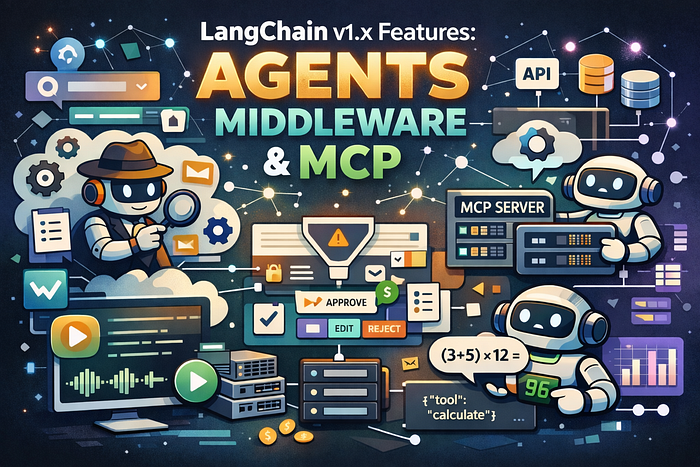
LangChain v1.x Features: Agents, Middleware, Streams, and MCP
Last Updated on January 6, 2026 by Editorial Team
Author(s): Michalzarnecki
Originally published on Towards AI.

Hi. This article covers important features and syntax from new releases of LangChain library since v1.0.0.
For more examples and explanations related to LangChain and LangGraph libraries see my dedicated article series. For more features related to LangChain v1.X.X see official LangChain documentation.
In article series mentioned above I often used the langchain_classic library — because that’s where components from the “classic” LangChain era were moved when the framework started evolving into its newer, more modular shape.
AI development moves fast. Libraries change from month to month — literally! On top of that, more and more applications shift from “one prompt → one LLM call” toward agent-based workflows — because agents can plan, call tools, recover from errors, and iterate.
The LangChain authors are also continuously improving the developer experience. That’s why in LangChain 1.0.0+ you can use newer building blocks — one of them is create_agent, which I’ll demonstrate below with code snippets.
Another strong trend is MCP (Model Context Protocol) — a protocol that standardizes how models communicate with external tools. On one side you have the model, on the other side you have APIs, databases, and utilities, and between them sits a piece of software that brokers the communication: an MCP server.
Let’s move to the details and code samples.
Install the required libraries and load environment variables
First install LangChain itself plus helpers for environment variables and MCP tooling.
!pip install -q langchain python-dotenv langchain_mcp_adapters fastmcp
If you keep API keys in a .env file, this loads them into the runtime environment.
from dotenv import load_dotenv

load_dotenv()
create_agent (agent + tool)
A minimal agent with one tool. The model can decide when to call rate_city, then respond like a normal chat assistant.
from langchain.agents import create_agent

def rate_city(city: str) -> str:
 """Rate the city."""
 return f"{city} is the best place in the world!"
agent = create_agent(
 model="gpt-5-mini",
 tools=[rate_city],
 system_prompt="You are a helpful assistant",
)
result = agent.invoke({"messages": [{"role": "user", "content": "Is Poznań a nice city?."}]})
last_msg = result["messages"][-1]
print(last_msg.content)
Working with Message objects
This shows the “messages-first” style: explicit SystemMessage and HumanMessage, and a plain invoke() returning an AIMessage.
from langchain.chat_models import init_chat_model
from langchain.messages import SystemMessage, HumanMessage

chat = init_chat_model("gpt-5-mini")
messages = [
 SystemMessage("You are a concise assistant."),
 HumanMessage("Write a 1-sentence summary of what LangChain is."),
]
ai_msg = chat.invoke(messages) # -> AIMessage
print(ai_msg.content)
Structured output with response_format
Here the agent returns structured data validated by a Pydantic model. You get predictable fields instead of “whatever the model felt like writing today”.
from pydantic import BaseModel, Field
from langchain.agents import create_agent

class ContactInfo(BaseModel):
 """Contact information for a person."""
 name: str = Field(description="The name of the person")
 email: str = Field(description="The email address")
 phone: str = Field(description="The phone number")
agent = create_agent(
 model="gpt-5-mini",
 response_format=ContactInfo,
)
result = agent.invoke({
 "messages": [
 {"role": "user", "content": "Extract contact info from: John Doe, john@example.com, (555) 123-4567"}
 ]
})
structured = result["structured_response"]
print(structured)
print(type(structured))
Short-term memory using a checkpointer
This part demonstrates stateful conversation via a thread_id. In LangChain we can now just use one component InMemorySaver added directly as a parameter of create_agents to support short-term memory.
In the code snippet The second question (“What is my name?”) depends on the previous message.
from langchain.agents import create_agent
from langgraph.checkpoint.memory import InMemorySaver

checkpointer = InMemorySaver()
agent = create_agent(
 model="gpt-5-mini",
 checkpointer=checkpointer,
)
config = {"configurable": {"thread_id": "demo-thread-1"}}
agent.invoke({"messages": [{"role": "user", "content": "Hi! My name is Michael."}]}, config=config)
result = agent.invoke({"messages": [{"role": "user", "content": "What is my name?"}]}, config=config)
print(result["messages"][-1].content)
Human-in-the-loop middleware
In many agentic workflows human reviewer and approver are still important. This is the classic enterprise pattern: the agent can prepare actions (like sending an email), but execution can be interrupted until a human approves/edits/rejects the decision.
from langchain.agents import create_agent
from langchain.agents.middleware import HumanInTheLoopMiddleware
from langgraph.checkpoint.memory import InMemorySaver
from langgraph.types import Command

def read_email(email_id: str) -> str:
 """Read email mock function"""
 return f"(mock) Email content for id={email_id}"
def send_email(recipient: str, subject: str, body: str) -> str:
 """Send email mock function"""
 return f"(mock) Sent email to {recipient} with subject={subject} and content={body}"
checkpointer = InMemorySaver()
agent = create_agent(
...
 interrupt_on={
 "send_email": {"allowed_decisions": ["approve", "edit", "reject"]},
 "read_email": False,
 }
 )
 ],
)
config = {"configurable": {"thread_id": "hitl-demo"}}
paused = agent.invoke(
 {"messages": [{"role": "user", "content": "Send an email to alice@example.com with subject 'Hi' and say hello."}]},
 config=config,
)
print("Paused state keys:", paused.keys())
Once the agent is paused, you can resume it by sending a Command(resume=...) with the decision.
resumed = agent.invoke(
 Command(resume={"decisions": [{"type": "approve"}]}),
 config=config,
)
print(resumed["messages"][-1].content)
Guardrails middleware for PII
We can also add practical safety layer to avoid publishing secret data, for example redact emails, mask credit cards, and block API keys based on a regex detector.
from langchain.agents import create_agent
from langchain.agents.middleware import PIIMiddleware

def echo(text: str) -> str:
 """Print text."""
 return text
agent = create_agent(
 model="gpt-5-mini",
 tools=[echo],
 middleware=[
 PIIMiddleware("email", strategy="redact", apply_to_input=True),
 PIIMiddleware("credit_card", strategy="mask", apply_to_input=True),
 PIIMiddleware(
 "api_key",
 detector=r"sk-[a-zA-Z0-9]{32}",
 strategy="block",
 apply_to_input=True,
 ),
 ],
)
out = agent.invoke({
 "messages": [{
 "role": "user",
 "content": "Extract information from text: My email is john@example.com and card is 5105-1051-0510-5100"
 }]
})
print(out["messages"][-1].content)
Streaming: watching the agent step-by-step
In modern agentic apps it’s often important to support high quality user experience and not let him wait long time for the response.
Code snippet below shows token/step streaming in “updates” mode — useful for UIs where you want the answer to appear live.
from langchain.agents import create_agent

def rate_city(city: str) -> str:
 """Rate city mock tool."""
 return f"The best city is {city}!"
agent = create_agent(model="gpt-5", tools=[rate_city])
for chunk in agent.stream(
 {"messages": [{"role": "user", "content": "Is Poznań a nice ...Rate city and afterwards plan a trip to Poznań in 5 stages."}]},
 stream_mode="updates",
):
 for step, data in chunk.items():
 last = data["messages"][-1]
 print(f"step: {step:>6} | type={type(last).__name__}")
 try:
 print("content_blocks:", last.content_blocks)
 except Exception:
 print("content:", getattr(last, "content", None))
MCP server with FastMCP
This is the tiny “Math” MCP server. It exposes tools over stdio, so an agent can call them as external capabilities.
from fastmcp import FastMCP

mcp = FastMCP("Math")

@mcp.tool()
def add(a: int, b: int) -> int:
 "Add two numbers"
 return a + b

@mcp.tool()
def multiply(a: int, b: int) -> int:
 "Multiply two numbers"
 return a * b

if __name__ == "__main__":
 mcp.run(transport="stdio")
We can put code above as external LLM tool math_server.py that will be accessed via MCP.
Connecting to MCP from LangChain and using the tools
This cell connects to the MCP server, imports its tools, and builds an agent that can solve math by calling the MCP toolset.
import asyncio
import nest_asyncio
from langchain_mcp_adapters.client import MultiServerMCPClient
from langchain.agents import create_agent

nest_asyncio.apply()
async def demo_mcp():
 client = MultiServerMCPClient(
 {
 "math": {
 "transport": "stdio",
 "command": "python",
 "args": ["math_server.py"],
 },
 }
 )
 tools = await client.get_tools()
 agent = create_agent("gpt-5-mini", tools)
 r1 = await agent.ainvoke({"messages": [{"role": "user", "content": "what's (3 + 5) x 12?"}]})
 print(r1["messages"][-1].content)

asyncio.run(demo_mcp())
If you look at examples from this article, you can see the direction clearly:
- agents become the default abstraction
- tool-use becomes standardized (MCP)
- quality + safety move closer to the core runtime (structured outputs, memory, middleware, guardrails).
Thank you for reading.
For more examples and explanations related to LangChain and LangGraph libraries I invite you once more to visit this article series. For more features related to LangChain v1.X.X see official LangChain documentation.
Join thousands of data leaders on the AI newsletter. Join over 80,000 subscribers and keep up to date with the latest developments in AI. From research to projects and ideas. If you are building an AI startup, an AI-related product, or a service, we invite you to consider becoming a sponsor.
Published via Towards AI
Towards AI Academy
We Build Enterprise-Grade AI. We'll Teach You to Master It Too.
15 engineers. 100,000+ students. Towards AI Academy teaches what actually survives production.
Start free — no commitment:
→ 6-Day Agentic AI Engineering Email Guide — one practical lesson per day
→ Agents Architecture Cheatsheet — 3 years of architecture decisions in 6 pages
Our courses:
→ AI Engineering Certification — 90+ lessons from project selection to deployed product. The most comprehensive practical LLM course out there.
→ Agent Engineering Course — Hands on with production agent architectures, memory, routing, and eval frameworks — built from real enterprise engagements.
→ AI for Work — Understand, evaluate, and apply AI for complex work tasks.
Note: Article content contains the views of the contributing authors and not Towards AI.
Related posts
Recent Posts






