Ways to Iterate JavaScript Arrays
Last Updated on November 6, 2023 by Editorial Team
Author(s): Vivek Chaudhary
Originally published on Towards AI.
Declare array
const arr=[‘kiwi’,’dragon’,’orange’,’apple’,’pomegranate’];
const sal=[2200,5000,2100,1500,3700,4300];
let sal_incr=[]
for() loop
for loop is an iterative statement, it checks for some conditions and then executes a block of code repeatedly as long as those conditions are met.
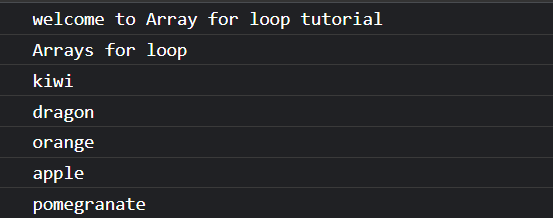
console.log(“Arrays for loop”)

for (let i=0;i<arr.length;i++){
 console.log(arr[i])
}
Output:
for..in loop
for…in loop is an easier way to loop through arrays as it gives us the key which we can now use to get the values from our array.
console.log(“Arrays for..in loop”)
for (let i in arr){
 console.log(arr[i])
}
Output:

for..of loop
for…of Loop iterates over iterables, but unlike for..in which gets keys, for..of gets the element itself.
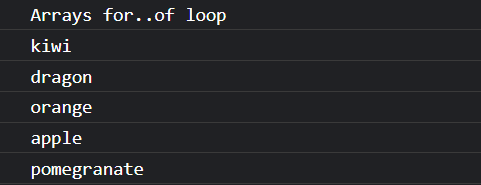
console.log(“Arrays for..of loop”)
for (let item of arr){
 console.log(item)
}
Output:
forEach() loop
forEach() method calls a function (a callback function) once for each array element.
console.log(“Arrays forEach() loop”)
arr.forEach((i)=>{
 console.log(i)
})
Output:

Another example.
const sal=[2200,5000,2100,1500,3700,4300];
let sal_incr=[]

//write a function to implement salary increment
sal.forEach(function(sal){
 sal_incr.push(sal+sal*.05)
})

//print the incremented salary
sal_incr.forEach((inc)=>{
 console.log(`incremented salary ${inc}`)
})
Output:

while() loop
while loop is used to evaluate a condition that is enclosed in parenthesis (). If the condition is true, the code inside the while loop is executed.If it is false, the loop is terminated.
console.log(“Arrays while loop”)
let i=0; //loop variable
while (i<arr.length){
 console.log(arr[i])
 i++;
}
Output:

do…while() loop
do…while loop is nearly identical to the while loop, except that it executes the body first before evaluating the condition for subsequent executions. This means that the loop’s body is always executed at least once.
console.log(“Arrays do while loop”)
let j=0;
do {
 console.log(arr[j]);
 j++;}
while (j<arr.length);
Output:

map()
map() allows us to iterate over array and modify its elements. The map() method creates a new array by performing a function on each array element.
console.log(“Arrays map()”);
arr.map((item) =>{
 console.log(item)
})
Output:

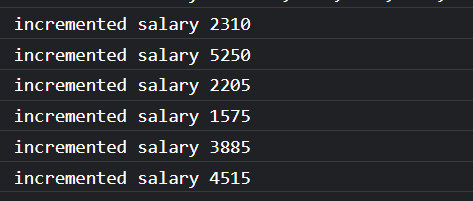
Same salary increment example using map()
let incr= sal.map(function(sal) {
 return sal+sal*.05;
});

//iterate over incremented sal
incr.forEach((incr) =>{
 let msg=`incremented salary ${incr}`
 console.log(msg)
});
Output:
Summary:
- define an empty array and non-empty array.
- 7 ways to loop over arrays.
Join thousands of data leaders on the AI newsletter. Join over 80,000 subscribers and keep up to date with the latest developments in AI. From research to projects and ideas. If you are building an AI startup, an AI-related product, or a service, we invite you to consider becoming a sponsor.
Published via Towards AI
Towards AI Academy
We Build Enterprise-Grade AI. We'll Teach You to Master It Too.
15 engineers. 100,000+ students. Towards AI Academy teaches what actually survives production.
Start free — no commitment:
→ 6-Day Agentic AI Engineering Email Guide — one practical lesson per day
→ Agents Architecture Cheatsheet — 3 years of architecture decisions in 6 pages
Our courses:
→ AI Engineering Certification — 90+ lessons from project selection to deployed product. The most comprehensive practical LLM course out there.
→ Agent Engineering Course — Hands on with production agent architectures, memory, routing, and eval frameworks — built from real enterprise engagements.
→ AI for Work — Understand, evaluate, and apply AI for complex work tasks.
Note: Article content contains the views of the contributing authors and not Towards AI.
Related posts
Recent Posts