


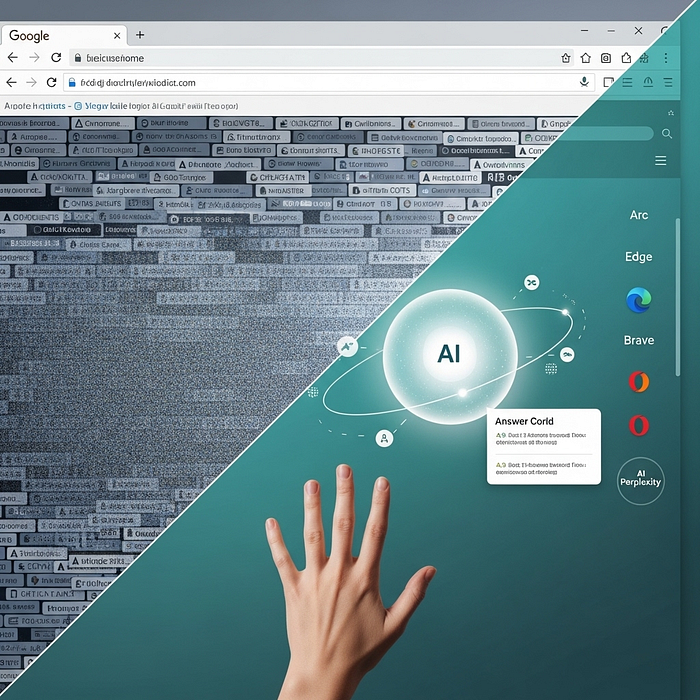
Your Browser Is Quietly Becoming an AI, And That Changes Everything…
Last Updated on September 4, 2025 by Editorial Team
Author(s): R. Thompson (PhD)
Originally published on Towards AI.
A hands-on guide to the new “agentic” web, what to keep, what to switch, and how to protect yourself while getting real work done 🔎

I didn’t notice when my browsing changed. One morning, I typed a question into a sidebar, not a search box. The answer came back with sources, steps, and a ready‑to‑copy email draft. No tab explosion. No rabbit holes. Just… done. That tiny shift is the story of the next few years: the browser stops being glass and starts being a partner.
This piece is a field guide for that shift. Less hype, more workflows. We’ll unpack what “AI in the browser” really means, where the money moves, who is shipping what, how to use it without leaking your life, and a clear plan you can try this week.
I’ll keep the tone practical. A little opinionated. Sometimes messy. Because that’s how we all actually browse.
1) The habit that made a monopoly
We confuse the tool with the internet. Chrome equals web. Safari equals phone. Edge equals Windows. That habit — not raw tech — locked in market share for years. Defaults won. People stuck with what shipped on the device and moved on with their day.
AI puts a crack in that habit. When you ask for outcomes instead of pages, the default matters less than the assistant that sits closest to your work.
2) What changes when AI moves inside the browser 🤖
Old flow: query → ten tabs → scanning → copy‑paste → a draft you still have to fix.
New flow: a request → an answer with citations and follow‑ups → one or two focused tabs if you need to verify.
Under the hood, the browser starts to act like an agent: it reads the page you’re on, keeps short‑term memory of your task, pulls from search, and writes into the fields you already have open. The main point isn’t magic; it’s less context switching. That’s where the real time goes.
3) Follow the money: fewer clicks, different economics
The web’s ad machine feeds on page views. If an assistant resolves a task inside the browser, you don’t bounce through ten ad‑supported pages. That means fewer impressions, less affiliate flow, and big pressure on search‑era business models. It also explains why a fresh wave of players want to own the “first screen” of your day. Distribution is the prize.
4) Who is shipping what right now
The names below are menus, not endorsements. The point is to map the options and sketch honest uses where each one actually helps.
Chrome + Gemini
• Google added AI extras inside Chrome like tab grouping help and page‑aware writing assistance (“Help me write”).
• Google also previews deeper Gemini hooks in Chrome that can read the current page and help with tasks in place.
• If you live in Gmail, Docs, and Android, this path keeps everything close. Trade‑off: trust and data sharing live inside one giant stack.
Microsoft Edge + Copilot Mode
• Copilot sits in the sidebar already, with page‑level summarization and chat.
• New “Copilot Mode” aims to stay with your browsing task and suggest follow‑ups instead of waiting for you to click.
• Some features are rolling out gradually; expect a mix of free and paid (Pro) gates.
Arc (Desktop) + Arc Search (Mobile)
• Arc adds a command‑driven interface and Max features that handle repeat chores.
• Arc Search on mobile ships “Browse for Me” and “Pinch to Summarize” for quick answers and article distillation.
• Strong for research flows and for people who want fewer, cleaner tabs.
Opera with Aria
• Aria is free on desktop and mobile, with real‑time web access and a quick command line (Ctrl+/).
• Newer features include image understanding and simple multi‑step prompts.
• Good entry point if you want a built‑in assistant without extra paywalls.
Brave with Leo
• Leo focuses on private, in‑browser assistance, with page chat, summarization, and creation tools.
• Brave integrates its own search and documents strict data handling; chat history can stay local and encrypted if you enable it.
• Ideal for users who want privacy by default and fewer trackers across the board.
Perplexity Comet
• Comet frames the browser itself as an assistant: research, email triage, and task automation inside one place.
• A new Comet Plus plan routes most subscription revenue to publishers, aiming to address content usage concerns.
• Good match for heavy researchers who want answers stitched to sources quickly.
5) Three privacy patterns you’ll meet ⚖️
Everything below is a simplification on purpose. You need a gut check, not a policy binder.
• Cloud‑first assistant inside a big platform: deep feature set, quick integration with your accounts, more data concentration in one company.
• Hybrid assistant: some actions happen locally, bigger tasks call out to the cloud; controls for chat history and site access live in settings.
• Privacy‑forward assistant: local processing where possible, explicit toggles for history, and clearer language on what the model sees and keeps.
None of these paths are perfect. Pick the failure mode you can live with. Then build habits that keep risk low: separate profiles, clear history, private windows for sensitive flows, and no mixing of personal and client accounts.
6) A field manual you can run this week
If you read nothing else, try this small plan. It gives you speed without handing over your entire life.
Step 1: Create a test profile
Use a brand‑new browser profile with no past cookies. Sign in to nothing. Add a password manager only.
Step 2: Pick two assistants
Choose one mainstream (Chrome+Gemini or Edge+Copilot) and one privacy‑leaning option (Brave+Leo or Arc). Keep them side‑by‑side for a week.
Step 3: Define three jobs to be done
Write them down: “summarize 8‑page PDF,” “find three sources and draft a mail,” “compare two products and export notes.”
Step 4: Measure
Time to first usable draft, number of tabs opened, number of corrections you had to make, and any weird data exposure moments.
Step 5: Lock settings
Turn off chat history if you don’t need it. Restrict site access for the assistant to “on click.” Use separate profiles for client work versus personal tasks.
Step 6: Keep one, archive the other
Delete the runner‑up for now. The real win is fewer moving parts.
7) Use cases that actually hold up
Below are real patterns you can adopt today. No sci‑fi. Just repeatable moves.
A) Analyst morning sprint
• Prompt the browser assistant for a one‑screen brief on a company, with sources listed.
• Open only the sources you actually need to verify numbers.
• Ask the assistant to outline a 150‑word Slack post with bullet points for leadership.
Why it works: you trim ten open tabs to two, spend attention on verification, and ship faster without losing accuracy.
B) Product lead doing market scans
• Ask for a grid comparing three competitors on pricing model, main value prop, and any public roadmap hints.
• Follow with a request for counter‑arguments: “Where could this grid be wrong?”
• Export to a doc and tag it with the date so you can repeat the scan next month.
Why it works: you build a repeatable check‑in ritual instead of a heroic one‑off.
C) Reporter building a quick dossier
• On mobile, run “Browse for Me” for a person or topic to get a starter pack.
• Use “Pinch to Summarize” on long pieces to grab angles and quotes to verify.
• Switch to desktop to pull full PDFs and run a second pass for conflicts.
Why it works: you get a fast map, then you go deeper only where it matters.
D) Researcher with privacy constraints
• Use a privacy‑forward assistant for page chat and draft notes.
• Keep chat history off; store your notes in your own repo.
• When you need a bigger model, move the prompt to a throwaway profile with no identifiers.
Why it works: you keep sensitive context out of long‑lived logs and still get modern help when you must.
E) Team knowledge librarian
• Ask the assistant to turn a messy meeting page and three links into a clean internal FAQ.
• Request a short glossary for terms the team keeps mixing up.
• Put both into your wiki with timestamps.
Why it works: you compress chaos into a repeatable format the team can find later.
8) Case notes from the wild (shipping features, not vapor)
• Chrome rolled out page‑aware writing help and smarter tab organization during 2024, with deeper Gemini hooks previewed for desktop. That means “write with context of the page” inside the places you already work.
• Microsoft announced Copilot Mode in Edge in late July 2025. The goal: stay with your session and offer next steps, not just a one‑off summary. Early builds also tease a “Journeys” view that clusters your browsing around tasks.
• Arc Search on mobile keeps leaning on two moves that save time: “Browse for Me” builds a clean answer page from multiple sources, and “Pinch to Summarize” compresses long reads. Both cut down tap‑hell on phones.
• Opera’s Aria is free, with real‑time web access and a fast command line (Ctrl+/). Image understanding arrived last year, which means you can ask about a screenshot you just dropped in.
• Brave’s Leo positions itself around privacy. Brave Search integration helps with answers, and the policy is explicit about chat storage controls with local encryption when enabled.
• Perplexity’s Comet launched with a push toward making the whole browser an assistant. A new Comet Plus plan sets aside a revenue pool and pays a large share to publishers. That’s part product, part response to a changing link economy.
These details matter because they shape what you can rely on. Less time guessing. More time shipping your work.
9) A simple model to choose your stack
Picture a triangle with three corners: speed, trust, and reach.
• Speed: time from question to a usable draft.
• Trust: clarity on what data leaves your machine and where it goes.
• Reach: how well the assistant touches your tools (mail, docs, calendar) and the sites you visit.
You can’t max all three. Pick two for your main profile and accept the trade on the third. Then keep a second profile tuned for the opposite edge case.
Example: a founder may pick speed + reach for the main profile, then keep a privacy‑tuned profile for investor work. A researcher may flip that order.
10) Guardrails that save you later
• Separate profiles: one for personal things, one for client or research.
• Site permissions: set assistants to run only on click, not on every page.
• History discipline: keep chat history off unless you truly need recall.
• Verification: always open at least two sources for any number you repeat in public.
• Private windows for sensitive flows: grants you a clean slate for the session.
• No credentials in prompts: never paste API keys, PII, or contract text unless your policy allows it.
These are not fancy. They are boring. They also work.
11) Two‑year outlook without the crystal ball
Short prediction, grounded in what’s already public:
• Big platforms will fold assistants deeper into the browser shell and the OS.
• Search pages will keep shrinking on mobile as answer pages get better.
• A new privacy gap will open: people who tune settings vs. people who never touch them.
• Reports suggest a new entrant is preparing a full AI browser; expect fresh ideas on agent hand‑offs and on‑page actions.
• Publishers will push for new payment paths tied to assistant traffic, not just old click models.
None of this requires sci‑fi to land. It rides the defaults we already use and tightens them around tasks.
12) Your 7‑day switch plan (keep it small, learn a lot)
Day 1: set up the clean profile and two assistants.
Day 2: run your first job (PDF summary) in both, time it.
Day 3: run source‑gathering with citations, compare.
Day 4: write an outreach email from notes.
Day 5: redo Day 2 with stricter privacy toggles and see if quality changes.
Day 6: try the mobile piece only (answer page vs. old search).
Day 7: pick a winner for now and archive the runner‑up.
You’re not marrying a browser. You’re keeping a setup until it stops helping.
13) A pain point solved: stop drowning in tabs
Let’s get blunt. The biggest tax on your week isn’t model size; it’s scattered attention. AI inside the browser works when it kills three things: tab chaos, copy‑paste gymnastics, and the fear of starting from a blank page. The workflows above push on those pain points first.
If your current setup still explodes into twenty tabs for a simple task, switch. Keep the switch small. Measure. Then decide with your hands, not with hot takes.
14) Quick cheatsheet
• Best for Google stack users: Chrome + Gemini, with careful privacy review.
• Best for Windows orgs: Edge + Copilot Mode as it rolls out, test Journeys when available.
• Best for research feel: Arc on desktop, Arc Search on mobile for on‑the‑go answers.
• Best for privacy lean: Brave + Leo with chat history controls.
• Best for answer‑first research: Perplexity Comet, with a close eye on publisher relationships and source links.
• Best for free starter: Opera with Aria for everyday browsing help.
The right answer is the one that reduces effort without raising risk.
15) Small FAQ for the cautious
Can I keep my current browser and still try this?
Yes. Use separate profiles. You can run two side by side without breaking muscle memory.
Will this replace my search engine?
Not yet for most people. You’ll still search. You’ll just do fewer shallow searches and more task‑focused sessions.
Is my data safe?
Safety depends on settings and habits. Read the assistant’s privacy page, turn off history unless needed, and never paste sensitive data into prompts without approval.
Is mobile ready for prime time?
It’s getting there. Answer pages and quick summaries save real time. For deep work, you’ll still want a keyboard.
16) Try it now — a tiny script for your week
Pick one project you’ve been avoiding. Maybe a vendor comparison, maybe an outreach plan. Set a 40‑minute timer. Ask your browser assistant to:
• Draft a short outline.
• Pull three current sources.
• Suggest risks or blind spots.
Then you do the part only you can do: edit with judgment and hit send.
(AI Use Notice: This article comes from original thought process, extensive manual research & hours spent finding, reading and verifying sources. AI tools were used to assemble the narrative, correct the grammar, not for creating it.)

Join thousands of data leaders on the AI newsletter. Join over 80,000 subscribers and keep up to date with the latest developments in AI. From research to projects and ideas. If you are building an AI startup, an AI-related product, or a service, we invite you to consider becoming a sponsor.
Published via Towards AI
Towards AI Academy
We Build Enterprise-Grade AI. We'll Teach You to Master It Too.
15 engineers. 100,000+ students. Towards AI Academy teaches what actually survives production.
Start free — no commitment:
→ 6-Day Agentic AI Engineering Email Guide — one practical lesson per day
→ Agents Architecture Cheatsheet — 3 years of architecture decisions in 6 pages
Our courses:
→ AI Engineering Certification — 90+ lessons from project selection to deployed product. The most comprehensive practical LLM course out there.
→ Agent Engineering Course — Hands on with production agent architectures, memory, routing, and eval frameworks — built from real enterprise engagements.
→ AI for Work — Understand, evaluate, and apply AI for complex work tasks.
Note: Article content contains the views of the contributing authors and not Towards AI.
Related posts
Recent Posts






