


GPU and CPU Utilization While Running Open-Source LLMs Locally using Ollama
Last Updated on February 17, 2026 by Editorial Team
Author(s): Muaaz
Originally published on Towards AI.

Large Language Models (LLMs) are powerful, but running them locally requires significant hardware resources. Many users rely on open-source models due to their accessibility, as closed source models often come with restrictive licensing and high costs. In this blog, I will explain how open-source LLMs function, using DeepSeek as an example.
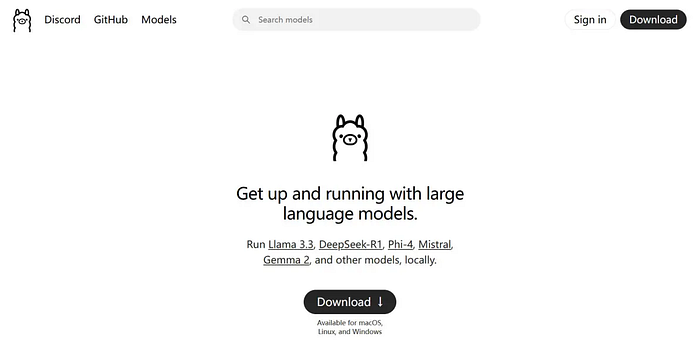
Installing Ollama and Running LLMs Locally
To get started, you need to install Ollama, which provides an easy way to run and manage LLMs locally. Follow these steps:
- Download and install Ollama from the official website: https://ollama.com
- Or install via the command line:
curl -fsSL https://ollama.com/install.sh | sh
Download and Run a Model Locally
Once Ollama is installed, you can easily download and run LLMs using the command line cmd:
Download and run DeepSeek-R1 7B:
ollama run deepseek-r1:7b
Download and run DeepSeek-R1 32B:
ollama run deepseek-r1:32b
When you run any of the above commands, it downloads the model and starts inference mode for the LLM, like this:

Experiment Setup
I used Ollama to run two different DeepSeek models:
- DeepSeek-R1 7B (small model)
- DeepSeek-R1 32B (large model)
Hardware Used:
- GPU: NVIDIA RTX A4000 (16GB VRAM)
- CPU: Intel Core i7–13700
- RAM: 32GB
- V(Video)RAM: 32GB
Model Storage and Execution Insights
DeepSeek-R1 7B requires 4GB disk storage.
When I start inferencing with this model, it runs entirely on the GPU as it comfortably fits within the 16GB VRAM. During inference, the model expands in memory due to internal computations (which I will discuss further). However, this expansion remains within the VRAM limits, allowing the model to run completely on the GPU without requiring a fallback to the CPU.

DeepSeek-R1 32B requires 20GB disk storage.
It requires 20GB disk storage. However, during inference, it exceeds the GPU memory limit, reaching 48GB VRAM due to internal computations. As a result, the system automatically offloads part of the model to the CPU, running in a hybrid mode (CPU + GPU) to balance the workload and ensure smooth execution.

Why Does the VRAM Usage Increase?
While the base model is 20GB, VRAM usage expands significantly during inference due to internal computations. When we download a model, we only store its weights (parameters) on disk. However, during inference, computations using these weights lead to additional memory usage. Since LLMs are transformer-based models, they generate key-value matrices and utilize multiple attention heads, requiring substantial memory. The primary reasons for VRAM expansion include activation functions, which store intermediate computation values, and key-value matrices, which are dynamically generated to efficiently handle queries, both contributing to increased VRAM consumption.
Performance Monitoring
I monitored execution using the Task Manager to observe real-time GPU and CPU utilization. My key takeaways:
- Smaller models run fully on GPU, providing fast inference.
- Larger models automatically switch to CPU-GPU hybrid execution when VRAM is exceeded.
- Monitoring resource utilization helps optimize model selection based on available hardware.
Conclusion
Running open-source LLMs locally is a feasible alternative to expensive cloud-based solutions. DeepSeek models with Ollama provide a seamless experience, dynamically managing hardware limitations. Understanding GPU-CPU balance is crucial for efficient deployment.
Stay tuned for more insights!
Join thousands of data leaders on the AI newsletter. Join over 80,000 subscribers and keep up to date with the latest developments in AI. From research to projects and ideas. If you are building an AI startup, an AI-related product, or a service, we invite you to consider becoming a sponsor.
Published via Towards AI
Towards AI Academy
We Build Enterprise-Grade AI. We'll Teach You to Master It Too.
15 engineers. 100,000+ students. Towards AI Academy teaches what actually survives production.
Start free — no commitment:
→ 6-Day Agentic AI Engineering Email Guide — one practical lesson per day
→ Agents Architecture Cheatsheet — 3 years of architecture decisions in 6 pages
Our courses:
→ AI Engineering Certification — 90+ lessons from project selection to deployed product. The most comprehensive practical LLM course out there.
→ Agent Engineering Course — Hands on with production agent architectures, memory, routing, and eval frameworks — built from real enterprise engagements.
→ AI for Work — Understand, evaluate, and apply AI for complex work tasks.
Note: Article content contains the views of the contributing authors and not Towards AI.
Related posts
Recent Posts






