


Claude Cowork 101
Author(s): Kushal Banda
Originally published on Towards AI.
Claude Chat is reactive you prompt, Claude answers. Claude Code is terminal-first, demands CLI comfort.
Cowork splits the difference: agentic architecture (same as Code) in a GUI anyone can operate. Multi-step planning. File system access. Connectors to Gmail/Slack/Salesforce. Parallel execution. And crucially: the ability to complete work automatically through scheduled tasks, which isn’t possible in regular chats outside of Cowork.

The mental model: stop thinking “assistant that writes.” Start thinking “assistant that does.”
Claude Cowork is Anthropic’s interpretation for OpenClaw, more secure and built exclusively for Claude ecosystem.
The Architecture Layer
Projects: Task isolation. Every major workflow lives in its own project with dedicated folder access. This prevents context bleed when running 5 different projects simultaneously.

Create a dedicated folder for each project, grant Claude access only to that folder. That’s your security boundary.
Plugins: Role-specific skill bundles. Finance, legal, marketing, data analysis, operations each plugin pre-packs connectors (Gmail, Slack, etc.), skills (reusable prompts), and sub-agents. Plugins come pre-configured with the skills and connectors relevant to that function, and you can tailor them to your workflow.

Example workflow (sales): “New prospect Johnson” → Plugin scans LinkedIn + Gmail + Slack → generates dossier + templates → ready to send.
Skills: Slash-command reusable prompts. /summarize, /format, /analyze are built-in. Custom skills are copy-paste-ready instructions that trigger specific actions. Type "/" to see available skills; plugins add more.
Dispatch: Remote task assignment from phone. From your phone, hand Claude tasks that use everything on your desktop, including things you can’t open on your phone pull data from local spreadsheets, search Slack/email, generate reports. Syncs continuously. You get push notifications when done or approval needed.
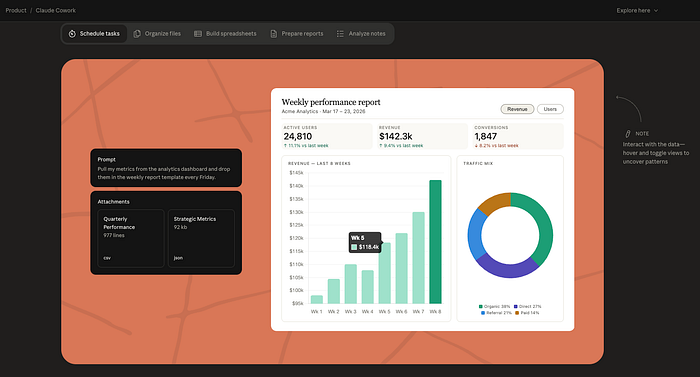
Scheduled Tasks: Cron without cron. Define recurring workflows (daily briefing, weekly report, monthly cleanup). Runs on wake; sleeping machine skips and re-runs on next boot. No continuous execution unless your desktop stays on.

What Actually Works vs. What Breaks
Real-world patterns that ship:
- Weekly reports: Analyze folder of CSVs → synthesize findings → output PowerPoint + email to stakeholders. Runs Sundays 6am.
- Email-triggered workflows: New email in label → Cowork extracts data → creates Notion entry + Slack summary. (Requires email connector setup.)
- File organization: 500 PDFs in Downloads → parse filenames → sort into folders by type → archive old. Runs on demand or scheduled.
- Contract review triage: Upload contracts → extract key terms → flag risks → bucket into categories (approve/needs-review/reject). Legal teams actually use this.
- Competitor research: Task → Claude searches web + downloads pricing pages + compiles comparison table → exports to Sheets. Takes 15–20 min per batch of 10 competitors.
What breaks:
- CAPTCHA workflows (can’t solve them). Skip these entirely.
- High-precision image editing (Photoshop-grade retouching). Use Claude for planning, human for execution.
- Tasks requiring real-time responsiveness. 10–15 second latency per step adds up.
- Finance trades or irreversible deletions. Cowork has no rollback. Don’t hand it keys to live systems without approval gates.
- Desktop apps with no API/MCP bridge (some legacy enterprise software). If it’s not web-accessible or MCP-connected, Cowork struggles.
Get started with Claude Cowork
- Create project folder:
/Users/you/Cowork-ProjectName/(not Documents, not Desktop). - Grant access: Cowork settings → pick this folder only. Deny everything else.
- Set global instructions: Settings → Cowork → Edit. Add tone, output preferences, constraints.
- Install plugins: Customize menu → browse marketplace → install 2–3 role-specific ones (start lightweight).
- Test one workflow: Small task, 5 files, one output. Debug before scaling.
- Enable Dispatch: Phone app → authenticate → sync desktop Cowork.
- Schedule one recurring task: Daily/weekly/monthly. Observe for 2 weeks before adding more.
Don’t over-engineer. Start with one plugin, one project, one recurring task. Add complexity after you see it working.
Further Reading
- Claude Cowork Power User Guide 50+ tested tips on plugins, skills, sub-agents, scheduled tasks
- Anthropic Claude Cowork
Thanks for reading! If you have any questions or feedback, please let me know on Medium or LinkedIn
Join thousands of data leaders on the AI newsletter. Join over 80,000 subscribers and keep up to date with the latest developments in AI. From research to projects and ideas. If you are building an AI startup, an AI-related product, or a service, we invite you to consider becoming a sponsor.
Published via Towards AI
Towards AI Academy
We Build Enterprise-Grade AI. We'll Teach You to Master It Too.
15 engineers. 100,000+ students. Towards AI Academy teaches what actually survives production.
Start free — no commitment:
→ 6-Day Agentic AI Engineering Email Guide — one practical lesson per day
→ Agents Architecture Cheatsheet — 3 years of architecture decisions in 6 pages
Our courses:
→ AI Engineering Certification — 90+ lessons from project selection to deployed product. The most comprehensive practical LLM course out there.
→ Agent Engineering Course — Hands on with production agent architectures, memory, routing, and eval frameworks — built from real enterprise engagements.
→ AI for Work — Understand, evaluate, and apply AI for complex work tasks.
Note: Article content contains the views of the contributing authors and not Towards AI.
Related posts
Recent Posts






