


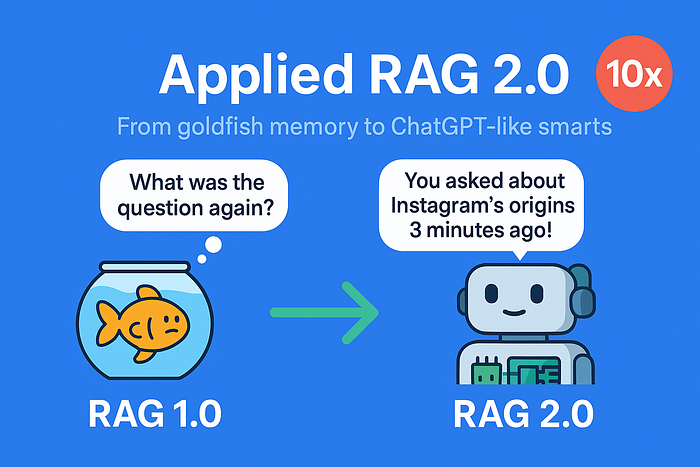
Applied RAG 2.0: From Goldfish Memory to ChatGPT-Like Conversations (10x Smarter Bot)
Author(s): Aakash Makwana
Originally published on Towards AI.

Welcome back! In Part 1, you’ve built your first Retrieval-Augmented Generation (RAG) app. It answered questions from a document. But users don’t just want one-off answers — they want conversations, control, and accuracy.
Today, we’ll upgrade your RAG app to RAG 2.0 with:
- Chat memory (so it remembers your last question).
- Keyword search (to let users “Google” inside their docs).
- Smarter text splitting (no more chopped sentences!).
What We’ll Build
By the end of this tutorial, you’ll have a Streamlit-based RAG chatbot with:
- Keyword search bar (on top of vector search)
- Chat history (conversational memory)
- Improved chunking and answer grounding
Quick Recap: What’s a RAG App?
A RAG application combines two superpowers:
- Retrieval — Pull the most relevant documents.
- Generation — Use an LLM to generate answers from those documents.
That’s a great start! With a few tweaks, it can be even better. Let’s work on it together. I suggest you read the first article here to gain a clearer understanding of this one.
Step 1: Let’s create a document
Create a folder named data and save the below document as essay.txt
In the early days of a startup, speed and iteration matter more than elegance or scale.
Founders are constantly experimenting, often pivoting from one idea to another based on user feedback.
Success depends less on building the perfect product and more on discovering what users truly need.
Many of today’s biggest tech companies started as something very different from what they are now.
Twitter began as a podcast platform. Instagram started as a location check-in app.
What made them successful was not their original vision, but their willingness to adapt quickly.
The lesson: the key to startup success is not perfection, but learning, listening, and iterating fast.
Step 2: Install dependencies
pip install streamlit langchain faiss-cpu streamlit transformers sentence-transformers
Step 3: Actual Python code
3.1 Importing relevant libraries and modules:
import streamlit as st
from langchain.chains import ConversationalRetrievalChain
from langchain.llms import HuggingFacePipeline
from langchain.memory import ConversationBufferMemory
from transformers import pipeline, AutoTokenizer, AutoModelForSeq2SeqLM
from langchain.prompts import PromptTemplate
from langchain.document_loaders import TextLoader
from langchain.text_splitter import CharacterTextSplitter,RecursiveCharacterTextSplitter
from langchain.vectorstores import FAISS
from langchain.embeddings import HuggingFaceEmbeddings
import re
3.2 Let’s fix the split logic
You may recall that we used CharacterTextSplitter in the previous article. Now, let me show you its one major limitation.
Code:
loader = TextLoader("data/essay.txt")
documents = loader.load()

text_splitter = CharacterTextSplitter(chunk_size=100, chunk_overlap=10,separator="")
docs = text_splitter.split_documents(documents)

for i, doc in enumerate(docs):
 print(f"Chunk {i+1}:\n{doc.page_content}\n")
Output:
Chunk 1:
In the early days of a startup, speed and iteration matter more than perfection.
Instagram started a

Chunk 2:
started as a check-in app. Twitter began as a podcast platform.
Many successful startups pivoted be

Chunk 3:
pivoted before becoming what they are today.
The key lesson: Learn fast, iterate faster, and listen

Chunk 4:
nd listen to users.
Observations:
1. Look how the chunk 1 ends with “Instagram started a”.
2. Similarly, Chunk 2 starts with “started as a check-in app”. What started?
You can see similar information across different chunks. This is primarily because CharacterTextSplitter splits at character count, which sometimes leads to incorrect word boundaries.
Remember when we talked about how these chunks serve as memory? If your memory isn't complete, it can be really tough to function properly, can't it? The same idea applies to our RAG.
Solution:
We will use RecursiveCharacterTextSplitter. It is a smarter, more flexible version of CharacterTextSplitter from LangChain, designed to split text at natural boundaries — like paragraphs, sentences, and words — before falling back to character-level splits if needed.
Code:
loader = TextLoader("data/essay.txt")
documents = loader.load()

text_splitter = RecursiveCharacterTextSplitter(chunk_size=100, chunk_overlap=10)
docs = text_splitter.split_documents(documents)

for i, doc in enumerate(docs):
 print(f"Chunk {i+1}:\n{doc.page_content}\n")
Output:
Chunk 1:
In the early days of a startup, speed and iteration matter more than perfection.

Chunk 2:
Instagram started as a check-in app. Twitter began as a podcast platform.

Chunk 3:
Many successful startups pivoted before becoming what they are today.

Chunk 4:
The key lesson: Learn fast, iterate faster, and listen to users.
Each chunk looks complete and much better than earlier, right?
3.3 Let’s take a bigger model while building the architecture
Earlier, we used the model “google/flan-t5-base” which is trained for concise, instruction-based answers. Also, it is not optimised for chatty, contextual replies. Since, we want to build a chatbot, we will use a larger model like “google/flan-t5-large”.
Code:
embedding_model = HuggingFaceEmbeddings(model_name="all-MiniLM-L6-v2")
vector_store = FAISS.from_documents(docs, embedding_model)

model_id = "google/flan-t5-large"
tokenizer = AutoTokenizer.from_pretrained(model_id)
model = AutoModelForSeq2SeqLM.from_pretrained(model_id)

tokenizer.pad_token = tokenizer.eos_token
pipe = pipeline("text2text-generation", model=model, tokenizer=tokenizer)
llm = HuggingFacePipeline(pipeline=pipe)
3.4 Prompt Template for Better Outputs
Let us customize the response that we get back from the model. Let’s give it a custom, instructive prompt so it acts like a helpful assistant.
custom_prompt = PromptTemplate.from_template("""
You are a helpful assistant. Use the context to answer the user's question.
If context is unclear, respond gracefully. Be clear and complete.

{context}

Chat History:
{chat_history}

Question:
{question}

Helpful Answer:
""")
3.5 Adding Chat Memory (So Your Bot Remembers You)
Without memory, your bot treats every question as new. Let’s say we ask the below 2 questions:
1. “How did Instagram start?”
2. “and what about twitter?”
It could happen that the answer to the first question is correct. However, the agent might not be able to understand question 2 correctly.
Problem: LLM forgets what the user said earlier.
Solution: Track chat turns and feed past questions+answers into context.
- Use LangChain’s
ConversationalRetrievalChain. Earlier, we had usedRetrievalQA - Save chat turns in memory (e.g.,
ConversationBufferMemory). This way we can ask follow up questions easily, because the entire chat history is kept in memory.
Code:
memory = ConversationBufferMemory(memory_key="chat_history", return_messages=True)

qa_chain = ConversationalRetrievalChain.from_llm(
 llm=llm,
 retriever=vector_store.as_retriever(),
 memory=memory,
 combine_docs_chain_kwargs={"prompt": custom_prompt}
)
3.6 Seeing it in action
Let’s say you ask: “What is the lesson?” and follow up with below questions:
1. “How did Instagram start?”
2. “and what about twitter?”
Code:
query = "What is the lesson?"
answer = qa_chain.invoke(query)
print(answer)
Output:
{
 'question': 'What is the lesson?',
 'chat_history': [HumanMessage(content = 'What is the lesson?',
 additional_kwargs = {}, response_metadata = {}),
 AIMessage(content = 'Learn fast, iterate faster, and listen to users. In the early days of a startup, speed and iteration matter more than perfection. Many successful startups pivoted before becoming what they are today.',
 additional_kwargs = {}, response_metadata = {})],
 'answer': 'Learn fast, iterate faster, and listen to users. In the early days of a startup, speed and iteration matter more than perfection. Many successful startups pivoted before becoming what they are today.'
}
Now, let’s ask “How did Instagram start?”
query = "How did Instagram start?"
answer = qa_chain.invoke(query)
print(answer)
Output:
{
 'question': 'How did Instagram start?',
 'chat_history': [HumanMessage(content = 'What is the lesson?',
 additional_kwargs = {}, response_metadata = {}),
 AIMessage(content = 'Learn fast, iterate faster, and listen to users. In the early days of a startup, speed and iteration matter more than perfection. Many successful startups pivoted before becoming what they are today.',
 additional_kwargs = {}, response_metadata = {}),
 HumanMessage(content = 'How did Instagram start?',
 additional_kwargs = {}, response_metadata = {}),
 AIMessage(content = 'Instagram started as a check-in app.',
 additional_kwargs = {}, response_metadata = {})],
 'answer': 'Instagram started as a check-in app.'
}
Observations:
Look closely on how the previous response is stored in the chat_history section. Also, we got an answer that “Instagram started as a check-in app.”
Now, let’s ask “and what about twitter?”
query = "and what about twitter?"
answer = qa_chain.invoke(query)
print(answer)
Output:
{
 'question': 'and what about twitter?',
 'chat_history': [HumanMessage(content = 'What is the lesson?',
 additional_kwargs = {}, response_metadata = {}),
 AIMessage(content = 'Learn fast, iterate faster, and listen to users. In the early days of a startup, speed and iteration matter more than perfection. Many successful startups pivoted before becoming what they are today.',
 additional_kwargs = {}, response_metadata = {}),
 HumanMessage(content = 'How did Instagram start?',
 additional_kwargs = {}, response_metadata = {}),
 AIMessage(content = 'Instagram started as a check-in app.',
 additional_kwargs = {}, response_metadata = {}),
 HumanMessage(content = 'and what about twitter?',
 additional_kwargs = {}, response_metadata = {}),
 AIMessage(content = 'Twitter began as a podcast platform.',
 additional_kwargs = {}, response_metadata = {})],
 'answer': 'Twitter began as a podcast platform.'
}
Observation:
The entire chat history can be seen here. Interesting thing to observe is that the 3rd question “and what about twitter?” — the RAG is able to pick up that the actual question is “How did twitter start?”.
3.7 Bonus : Add Search to Give Users Control
What’s missing:
Sometimes the LLM picks unhelpful documents. Users wish they could see or tweak what’s being searched.
Solution:
Let users see the top search results, or let them refine the query with filters, keywords, or simple UI controls.
Code:
search_term = 'Instagram'
results = vector_store.similarity_search_with_score(search_term, k=3)
for i, (doc, score) in enumerate(results, 1):
 print('Match',str(i),':',doc.page_content)
 print('Score:',score)
 print()
Output:
Match 1 : Instagram started as a check-in app. Twitter began as a podcast platform.
Score: 0.7018475

Match 2 : Many successful startups pivoted before becoming what they are today.
Score: 1.7003077

Match 3 : The key lesson: Learn fast, iterate faster, and listen to users.
Score: 1.7073045
Observation here : Match 1 has a score of 0.7018475 and it is the only one having the word Instagram.
This is because the function similarity_search_with_score returns a list of documents most similar to the query text with L2 distance in float. In simple terms : Lower score represents more similarity.
4. Putting it all together as a streamlit app
Create a file app.py having the following code:
import streamlit as st
from langchain.chains import ConversationalRetrievalChain
from langchain.llms import HuggingFacePipeline
from langchain.memory import ConversationBufferMemory
from transformers import pipeline, AutoTokenizer, AutoModelForSeq2SeqLM
from langchain.prompts import PromptTemplate
from langchain.text_splitter import CharacterTextSplitter,RecursiveCharacterTextSplitter
from langchain.vectorstores import FAISS
from langchain.embeddings import HuggingFaceEmbeddings
import re

def chunk_text(text, chunk_size=100, overlap=20):
 splitter = RecursiveCharacterTextSplitter(chunk_size=chunk_size, chunk_overlap=overlap)
 return splitter.split_text(text)

def create_vector_store(chunks):
 embeddings = HuggingFaceEmbeddings(model_name="sentence-transformers/all-MiniLM-L6-v2")
 return FAISS.from_texts(chunks, embeddings)


custom_prompt = PromptTemplate.from_template("""
You are a helpful assistant. Use the context to answer the user's question.
If context is unclear, respond gracefully. Be clear and complete.

{context}

Chat History:
{chat_history}

Question:
{question}

Helpful Answer:
""")

# Load and chunk document
with open("data/essay.txt") as f:
 text = f.read()
chunks = chunk_text(text)
vector_store = create_vector_store(chunks)

# Setup model
model_id = "google/flan-t5-large"
tokenizer = AutoTokenizer.from_pretrained(model_id)
model = AutoModelForSeq2SeqLM.from_pretrained(model_id)
tokenizer.pad_token = tokenizer.eos_token
pipe = pipeline("text2text-generation", model=model, tokenizer=tokenizer)
llm = HuggingFacePipeline(pipeline=pipe)

# Add memory to remember conversation
memory = ConversationBufferMemory(memory_key="chat_history", return_messages=True)

# Create RAG chain
qa_chain = ConversationalRetrievalChain.from_llm(
 llm=llm,
 retriever=vector_store.as_retriever(),
 memory=memory,
 combine_docs_chain_kwargs={"prompt": custom_prompt}
)

# UI
st.title("🧠 RAG 2.0 – Smarter Chatbot")
query = st.text_input("Ask me anything:")

if query:
 result = qa_chain.invoke(query)
 st.write("🤖", result)

 with st.expander("🧵 Chat Memory"):
 for m in memory.chat_memory.messages:
 st.markdown(f"**{m.type.capitalize()}**: {m.content}")


st.sidebar.title("🔍 Keyword Search")

search_term = st.sidebar.text_input("Enter keyword or phrase")

if search_term:
 results = vector_store.similarity_search_with_score(search_term, k=3)
 st.sidebar.markdown("### 🔍 Top Matches:")
 for i, (doc, score) in enumerate(results, 1):
 highlighted = re.sub(
 f"({re.escape(search_term)})",
 r"**\1**",
 doc.page_content,
 flags=re.IGNORECASE
 )

 st.sidebar.markdown(f"**Match {i} (Score: {score:.4f}):**")
 st.sidebar.write(highlighted.strip())
Execute the below command in your bash or terminal window:
streamlit run app.py
This will initiate a streamlit instance, and you can see the output like below:

Final Tip: Debugging Your RAG
If answers seem off:
- Check chunk sizes (
print(docs)). - Test retrieval alone (
retriever.get_relevant_documents("your query")). - Tweak the prompt template (e.g., “Answer only from the context: {context}”).
Conclusion:
With just a few extra lines of code, you’ve taken your RAG app from a toy demo to a conversational, searchable AI assistant. Let us quickly compare RAG 1.0 vs. RAG 2.0 :

Sharing a visual workflow:

As an ending note, I am sharing analogy to easily remember the building blocks of RAG:
- Chunks = Pages of a smart notebook
- Embeddings = Fingerprints of each page
- Vector search = Finding similar fingerprints
- Question = You are holding a fingerprint and asking: “Which page looks like this?”
- Retrieval = Finds similar pages
- LLM = Reads pages + answers your question
- Memory = Remembers what you talked about before
I hope this article was helpful and has improved your understanding. I wrote it during my learning journey about RAG. It took some time to compile, and I hope it acts as a quick reference for newcomers interested in learning about and implementing RAGs.
Join thousands of data leaders on the AI newsletter. Join over 80,000 subscribers and keep up to date with the latest developments in AI. From research to projects and ideas. If you are building an AI startup, an AI-related product, or a service, we invite you to consider becoming a sponsor.
Published via Towards AI
Towards AI Academy
We Build Enterprise-Grade AI. We'll Teach You to Master It Too.
15 engineers. 100,000+ students. Towards AI Academy teaches what actually survives production.
Start free — no commitment:
→ 6-Day Agentic AI Engineering Email Guide — one practical lesson per day
→ Agents Architecture Cheatsheet — 3 years of architecture decisions in 6 pages
Our courses:
→ AI Engineering Certification — 90+ lessons from project selection to deployed product. The most comprehensive practical LLM course out there.
→ Agent Engineering Course — Hands on with production agent architectures, memory, routing, and eval frameworks — built from real enterprise engagements.
→ AI for Work — Understand, evaluate, and apply AI for complex work tasks.
Note: Article content contains the views of the contributing authors and not Towards AI.
Related posts
Recent Posts






