


7 AWS Cloud Quest Projects You Need to Execute Right Now
Last Updated on May 29, 2026 by Editorial Team
Author(s): Hiranmayee Panchangam
Originally published on Towards AI.
7 AWS Cloud Quest Projects You Need to Execute Right Now

The idea of “ AI” is still a muse to many as most get struck on where to start.. by the time I type this draft, I am pretty sure …just the AI buzz is making money than it is actually doing things. While this intro is to persuade you to still contribute to tech… this is also the pinnacle time to advance, ease your work using Artificial Intelligence.
From fundamental concepts to practical applications in AWS AI
This is a reference guide that explortes AWS AI providing a structured pathaway from theoritical taxonomy to hands on implementation. At it’s core, this article poses as your starter point to see how integrating AI takes place in large enterprises for varied departments with varied use cases.
Here I am gonna document my experience, takeaways and challenges I faced while providing solutions to AWS clients on the fantasy cloud island 🙂
Lab 1: Amazon Bedrock Playgrounds
In this lab assignment, a client needs help selecting a model for a customer service, this counts under chat based AI experience. The requirements for the client model is — to handle text conversations and Process images.
Amazon Bedrock is a controlled environment to test, compare and customize AI models before any integration. Bedrock allows customization by adjusting parameters, it is majorly used to compare models through the console. It enables us access to high performing Foundation Models use through APIs.
Learning Objectives of the Lab
In short, through this lab, you should be able to compare varied models offered in Amazon bedrock against each other and compare their performances. Customize the parameters through the model settings and fine tune the model, explore the Image/video playground. TO be able to determine what works best in real time, specific for use case.
Workflow of the lab
- Select Playground: choose between available modalities — chat, text, or image/video environments
- Configure Parameters: Adjust “Hyperparameters” like temperature for randomness or creativity and max tokens.
- Run Comparison: Input a prompt and evaluate how different models eg: Amazon Nova Pro Vs. Lite respond in real time.


Lab 2: Webpage Generation and Deployment
In this lab assignment, a marketing department client is needed a super cool UI designed for their small scale business for sharing content with external clients using GEN AI to create a static web content needs to be hosted via AWS Infrastructure.
Session Manager provides support for windows, Linux and macOS from a single tool. SSM allows you to comply with corporate policies that require — managed nodes, strict security practices, logs with node details, simple one click GUI. NGINX is widely used for its reliability, flexibility and performance.
Learning Objectives of the Lab
In short, you should be able to generate HTML, CSS, JavaScript code using Bedrock, update a live web server without manual SSH, use EC2 instance to update the server- a seamless integration with GEN AI plus traditional Amazon EC2.
Workflow of the lab
- Code Generation: Use Bedrock chat playground to generate HTML content for a webpage.
- Server Setup: Launch an Amazon EC2 instance running an NGINX web server
- Secure Update: Use AWS Systems Manager Session Manager to update the index.html file on the EC2 instance.
- Verification: Access the site via the EC2 instance’s Public Ipv4 address


Lab 3: Secure Conversational AI with Guardrails
In this lab assignment, you will be implementing safety layers to ensure AI interactions and policy compliance ,you can create multiple guardrails tailored to different use-cases and apply them across multiple foundation models providing a consistent UX, standardizing safety, privacy controls across Gen AI applications.
SageMaker AI is like an AI canvas used by Business Analysts, Data Scientists, AI MLops to work with preparing, training, generating data model predictions, integrate BI tools, studio notebooks automate ML workflows, track artifacts, datasets etc. Users can connect to SageMaker AI through browser accessing a fully configured Jupyter Lab Environment without managing any infrastructure.
Learning Objectives of the Lab
Usually when a user inputs a “prompt” and FM generates an output — both user input and FM response are sent to the guardrail for evaluation. Denied topics can be defined by providing Natural Language definition and few example phrases of the topics in this lab you should create and customize model safeguards and also define “Denied Topics” and “Content Filters” like blocking hate speech, or sensitive information.
Workflow of the lab
- Define Policy: Identify topics to avoid , you can add up to 30 and set filter thresholds for harmful content.
- Create Guardrails: In the Bedrock console, configure the guardrail with specific word filters and PII redaction
- Test & Validate: Use the “Draft” version to test prompts. If a prompt or model response violates a policy, the guardrail will block or modify the output


Lab 4: Knowledge Base [KB] Assistant using RAG
In this lab assignment, AWS client’s Sales department lacks quick access to historical and current sales data leading to varying interpretations and answers to similar sales queries. This results in longer resolution times for the sales reps to report to the upper management, what are the products that they should focus on selling and which ones are becoming popular ? Your AI solution using Retrieval Augmented Generation[RAG] to ground AI responses in proprietary, up to date data.
Amazon Open Search is the successor of Amazon Elastic Search service, it is a managed service, makes clusters from AWS cloud — deploys, operates and scales easily. It supports Open search [Apache], and it’s analytics suite is used for logging analytics, real time application monitoring, click stream analysis. It can provision all resources, launches it. It can detect and replace failed nodes, reduces overhead. You can scale clusters with single API calls in few clicks in the web console.
Learning Objectives of the Lab
Here, you will be creating a bedrock KB that sources its documents by connecting the model to a private data source in S3, and stores them in a Vector Store — Converts documents into searchable embeddings, hosted on Amazon OpenSearch Serverless. Here, the system uses advances embeddings technology and RAG to provide instant, accurate responses to sales related questions.
Workflow of the lab
- Data Ingestion: Upload documents [ PDFs/CSVs] to an Amazon S3 bucket.
- Vectorization: Use Amazon Titan Text Embeddings to convert text into numerical vectors.
- Vector Store: Store these embeddings in Amazon OpenSearch Serverless.
- Sync & Test: Initiate a data source sync. Test the KB to ensure it provides context-aware answers based on the uploaded files.


Lab 5: Creating AI smart Assistant
In this lab assignment, you will be working with a HR department struggling to respond over 500 daily employee requests for information majorly about leave policies, payroll policies. In this lab you will be creating an AI agent for the HR department to be concise, clear, maintain professionalism and answer general employee questions using bedrocks AI agent, which should be able to perform actions like applying leave, submitting timesheet etc., using Lambda functions and the system you build must be grounded using RAG to a KB which has Vector Embeddings.
Building an autonomous agent that can not only answer questions but also perform tasks, Lambda is a serverless compute service that runs code in response to events and automatically manages the underlying compute resources — it executes short-lived tasks under 300 seconds, and also supports Java, Python, C#, Node.js ,Ruby code and Powershell.
Learning Objectives of the Lab
Create a Bedrock Agent to answer questions which makes use of KB from handbooks. Integrate “Action Groups” to trigger external functions. Enable LLM and a Vector model for making an AI powered agent that works 24/7, works on programmed tasks. Bedrock gets integrated with OpenSearch which supports vector storage and search through its K-NN functionality. To assist users with actions instead of just answering questions, action groups are added. Agents can invoke actions using API calls to perform needed functions for the user. These requests from the action groups can be stored in database such as Amazon Relational Databases or Dynamo DB.
Workflow of the lab
- Setup KB: Attach an existing Knowledge Base for information retrieval
- Define Action Groups: Create AWS Lambda functions to perform specific tasks
- Orchestration: The Bedrock Agent analyzes the user request, determines if it needs to “Retrieve” info from the KB or “Invoke” an Action Group.


Lab 6: Using AI Services with Amazon SageMaker
In this lab assignment, you will be using SageMaker AI services for a global consulting firm , they would like a comprehensive automated solution that reduces operational costs, improve accuracy and decreases turnaround time while enhancing global client service delivery — their major issue is multilingual client communications, manual processes. Your role is to experiment and implement — Amazon Textract, Amazon Comprehend, Amazon Translate
Textract is used to automatically gather customer data from PDF documents and upload, store it in a Amazon S3 bucket. It can also deal with handwritten notes; majorly built on Boto3Model SDK for python. Comprehend can analyze the sentiment of the extracted text, generate scores for positive, negative, neutral and mixed sentiments. Translate converts text between languages, automatically detects the source language and translating it to target language. Polly converts written text to natural sounding speech creating MP3 files stored in S3 — to enhance accessibility and engagement. Transcribe converts audio recordings back to text, can process MP3 files in S3 and handle asynchronous transcription jobs.
Learning Objectives of the Lab
You will be using the AWS AI Services of Textract, Comprehend, Translate, Transcribe and Polly to combine multiple AWS AI services through SageMaker to create a text and speech processing pipeline. The integrations done through their Boto 3 SDKs in SMAI notebook instance. You will be extracting text from documents to analyze sentiment, convert text between languages and into speech for the required business purpose for the global consulting firm as an AI automation solution.
Workflow of the lab
- Initialize SageMaker Environment: Launch SageMaker Studio and open a JupyterLab Notebook which provides the compute resources and storage [ EBS Volume] needed to run the application code.
- Extraction: Execute Boto3 code to send PDF documents from an S3 bucket to Amazon Textract, which returns a list of “ BLOCK” objects representing the detected text and data.
- Analyze and sentiment score: Pass the extracted text to Amazon Comprehend to receive a sentiment score ranging from 1 to 0 for positive, negative, neutral and mixed categories.
- Translation: Take the analyzed text and use Amazon Translate to automatically identify the source language and convert the content into the desired target language.
- Conversion and Transcribtion: Send the translated text to Amazon Polly which generates a life-like MP3 audio file and stores it back in the S3 bucket. Finally, use Amazon Transcribe to process MP3 files, converting the speech back into text, complete with timestamps and confidence scores.


Lab 7: Building and coding with Amazon Q
In this lab, you will be dealing with a publishing company that primarily deals with Education for children — creating automated creative stories based on user inputs. Building an automated story generation system using Amazon Q to write the logic for an AWS Lambda Function. This function acts as an orchestrator, calling a Foundation Model FM in Bedrock to generate content and then managing the content across AWS services.
To enhance the solution the programmers can use the in-line code suggestions from comments to have Amazon Q write code that sends story metadata to the dynamo DB table, by making an API call . AWS lambda is used to coordinate calls to various AWS services needed to generate and store a story in S3 bucket. Lambda function’s main task is to invoke the FM with a correctly formatted payload and prompt to extract the story text, title from the response.
Learning Objectives of the Lab
You will be reviewing existing Amazon S3 and Dynamo DB resources. You will be learning to use Amazon Q to create a Lambda function — Q used advanced AI technology to analyze your code and context in real time, built on Bedrock users inherit the controls implemented in Bedrock for safety, security and responsible use of AI. Interpret Lambda execution reports to understand metrics like duration, memory usage, and billing. Learn how a single Lambda function coordinates multiple services for generation, for file storage and for metadata.
Workflow of the lab
- Initialize Infrastructure: Verify that the S3 bucket to store and DynamoDB table to store are provisioned and ready.
- Create the Lambda Function: Set up a new function using a supported runtime like python or node.js which will serve as the main function for the system.
- Code with Q: Within the Code Editor, provide natural language comments describing the desired logic. Q then provides real-time, tailored code suggestions to complete the function.
- Invoke Bedrock Model: Code includes an API call to Bedrock — specifically using a high performing model like Nova Pro to generate a creative story based on user input
- Data storage and logging: Generated story gets saved in a .txt file in S3 bucket, the story’s metadata is written to DynamoDB table.
- Test and Validate: Run a test execution of the lambda function. Review the REPORT line in the execution results to analyze the duration, billed duration, max memory used.


Getting started with skill builder
This guide provides instructions for practical labs described in the sources, organized to help you build and deploy AI solutions. To get started you can create a free account with AWS Skill builder. Explore through the digital course where you can find AWS Cloud Quest -> Pick Gen AI Practitioner role and follow along.
Finally
Enterprises are not expecting you to build an entire SaaS application on your own. Unless you are creating something independently for your own business, staying relevant in Enterprise AI does not require doing everything end-to-end. At scale, AI integration is handled by teams where responsibilities are distributed. Your role is to understand the “how,” “what,” and “when” of implementation.
What matters more is your ability to understand how systems integrate: how APIs function, what the cost of credits looks like, how much computation is required, and how well users can adopt the features being introduced. You also need to consider licensing, compliance, and agreements that ensure enterprise data remains secure and confidential.
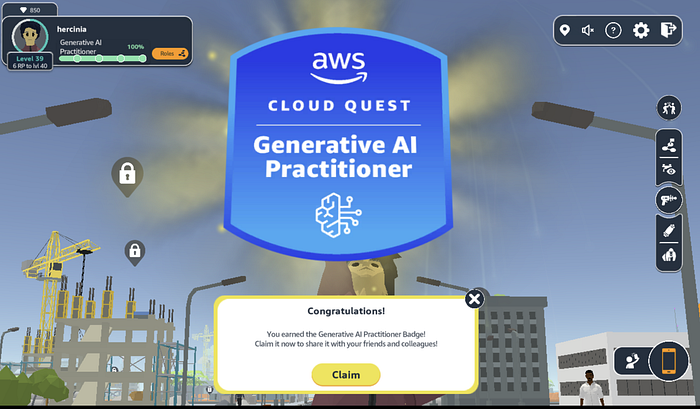
If you enjoy your IT 9–5 role and want to stay relevant, a great place to start is AWS Skill Builder. AWS Cloud Quest offers a gamified digital learning experience with eight hands-on lab projects that simulate real-world AWS client challenges in a virtual cloud environment. After completing all eight assignments, you earn a credly badge from AWS along with a stronger understanding of Amazon AI services and how they can be integrated into enterprise environments.
For detailed handwritten notes with roadmaps, step-by-step instructions on achieving lab goals please leave a comment here to get the guide. You can visit my profile to find out what more AI stuff is cooking on my feed 🙂
Join thousands of data leaders on the AI newsletter. Join over 80,000 subscribers and keep up to date with the latest developments in AI. From research to projects and ideas. If you are building an AI startup, an AI-related product, or a service, we invite you to consider becoming a sponsor.
Published via Towards AI
Towards AI Academy
We Build Enterprise-Grade AI. We'll Teach You to Master It Too.
15 engineers. 100,000+ students. Towards AI Academy teaches what actually survives production.
Start free — no commitment:
→ 6-Day Agentic AI Engineering Email Guide — one practical lesson per day
→ Agents Architecture Cheatsheet — 3 years of architecture decisions in 6 pages
Our courses:
→ AI Engineering Certification — 90+ lessons from project selection to deployed product. The most comprehensive practical LLM course out there.
→ Agent Engineering Course — Hands on with production agent architectures, memory, routing, and eval frameworks — built from real enterprise engagements.
→ AI for Work — Understand, evaluate, and apply AI for complex work tasks.
Note: Article content contains the views of the contributing authors and not Towards AI.
Related posts
Recent Posts






